
Shawn Freeman
CEO

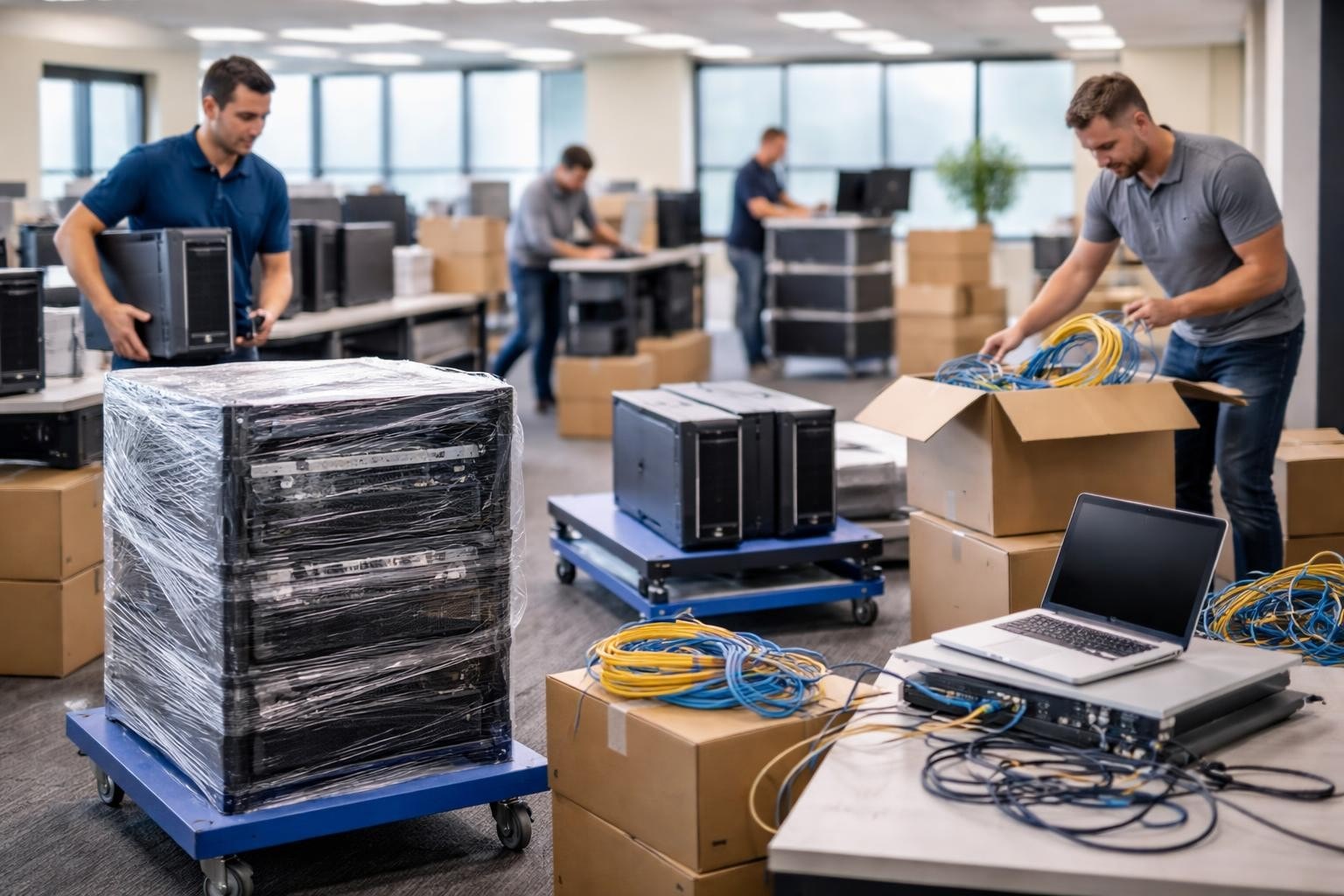
Moving your business to a new location should be exciting, a sign of growth and opportunity. But for most business owners, the thought of relocating IT infrastructure triggers anxiety. How do you move servers, workstations, networks, and phone systems without losing days of productivity? How do you ensure customer data stays secure during the transition? Professional it relocation services solve these challenges by turning a potentially disruptive move into a strategic, well-executed transition that keeps your business running smoothly.
Packing up desks and filing cabinets is straightforward. Your IT infrastructure, however, requires specialized planning and expertise that goes far beyond what traditional movers provide.
Every business today runs on interconnected systems. Your phones talk to your internet, your computers connect to cloud services, your security cameras link to network storage, and your printers integrate with your email system. When you move locations, every single connection point needs to be documented, safely disconnected, transported, and precisely recreated at the new site.
Here's what makes IT relocations challenging:
One manufacturing company learned this the hard way when they attempted a DIY move. They disconnected everything Friday afternoon, moved over the weekend, and spent the entire following week troubleshooting connection issues. Their production scheduling system stayed offline for three days, costing them over $50,000 in delayed orders.
According to industry research, the average cost of IT downtime for small to medium businesses ranges from $5,600 to $9,000 per hour. A poorly planned office move can result in multiple days of reduced productivity or complete system outages.
Professional it relocation services minimize this risk by creating detailed transition plans, often enabling businesses to maintain operations throughout the move or limit downtime to a single planned evening or weekend.
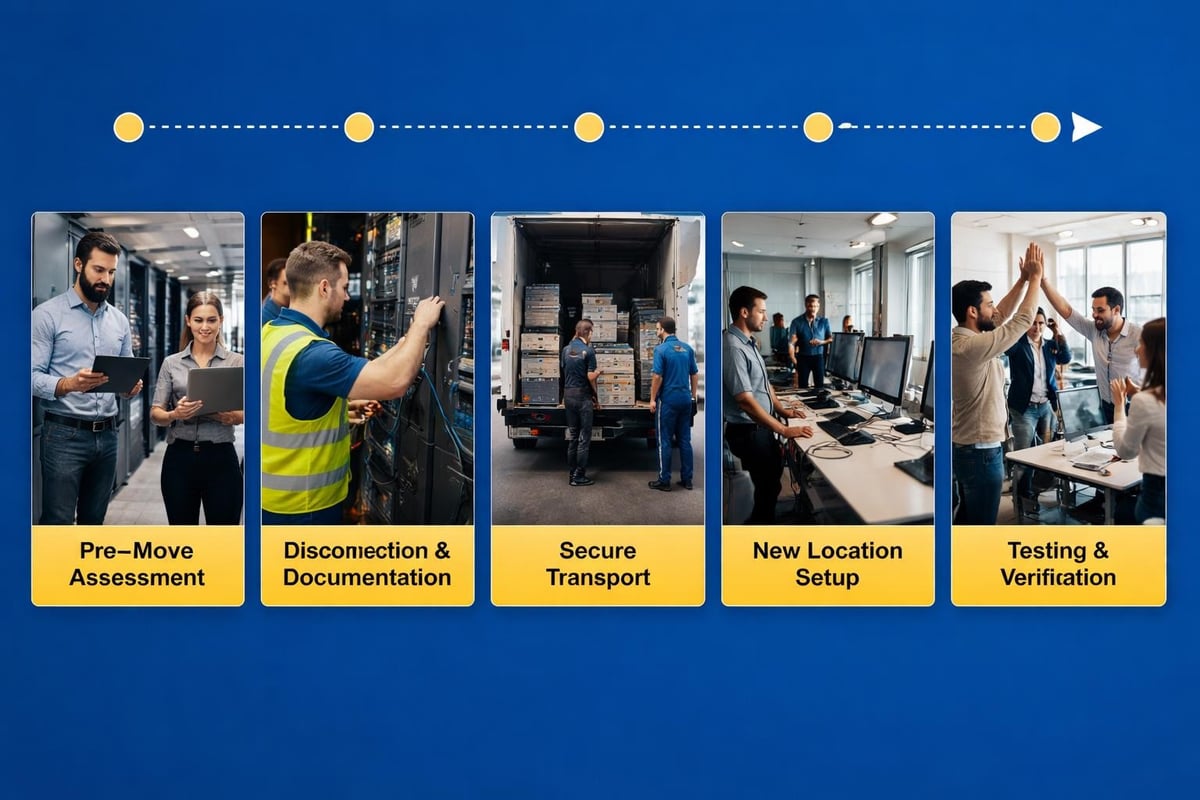
The difference between a smooth relocation and a disaster comes down to planning. Early planning and equipment evaluation should begin at least 90 days before your move date for most businesses.
Start by documenting every piece of technology in your current location. This goes beyond just counting computers.
Your inventory should include:
This inventory serves multiple purposes. It helps you identify equipment that's outdated and should be replaced rather than moved. It reveals redundant systems that can be eliminated. And it provides your IT team or service provider with the information needed to design your new network infrastructure.
A financial services firm in Calgary used their relocation as an opportunity to audit their IT environment through comprehensive IT assessment processes. They discovered they were maintaining three separate server systems that could be consolidated into one modern cloud solution, saving them both moving costs and ongoing maintenance expenses.
Professional it relocation services work backward from your move date to establish clear milestones. This prevents last-minute scrambles and ensures nothing gets overlooked.
| Timeline | Key Activities | Responsible Party |
|---|---|---|
| 90 days before | Complete inventory, assess new location, plan network design | IT team/provider |
| 60 days before | Order new equipment, schedule installations, update service contracts | Project manager |
| 30 days before | Document current configurations, create backup protocols, notify stakeholders | IT team |
| 14 days before | Label all equipment, prepare packing materials, confirm transport logistics | Relocation team |
| 7 days before | Final backup, test restoration procedures, brief staff | IT team |
| Move day | Execute disconnection plan, transport, and setup | Full team |
| Post-move | Testing, troubleshooting, documentation updates | IT team/provider |
Your business data is your most valuable asset. During a physical relocation, that data faces unique vulnerabilities that require specific protections.
Data security and backup procedures become critical during office moves. Professional it relocation services implement multiple layers of protection to ensure nothing is lost or compromised.
Essential security measures include:
One healthcare practice faced potential HIPAA violations when their moving company lost a box containing an old server. Because they hadn't properly wiped the decommissioned equipment, patient data was potentially compromised. The resulting notification process and regulatory review cost them over $30,000 and damaged their reputation.
Smart businesses plan for the worst-case scenario. What happens if the move takes longer than expected? What if something breaks during transport? What if the new location isn't ready on schedule?
Your contingency plan should address:
At Always Beyond, we help businesses maintain comprehensive managed IT support throughout relocations, ensuring someone is always available to address issues as they arise, not days later.
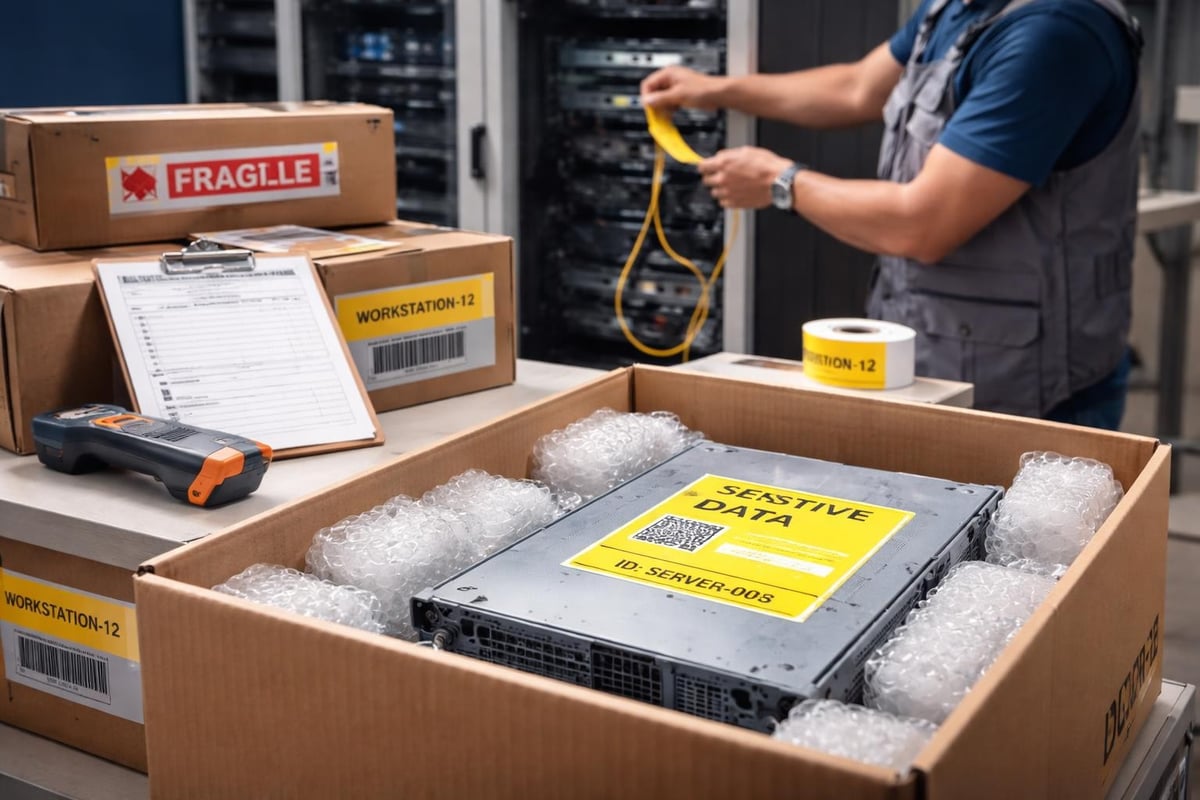
Moving your existing equipment is only part of the equation. Professional it relocation services also focus on optimizing your new space for better performance and future growth.
Your new location offers a fresh start. Rather than simply recreating your old setup, this is the perfect time to implement improvements.
Consider these upgrades during your move:
Network improvements:
Physical infrastructure:
One growing law firm used their relocation to implement proper network segmentation. Previously, guest wifi shared the same network as their document management system. The new setup separated guest, staff, and server networks, significantly improving both performance and cybersecurity protection.
The most critical phase of any IT relocation happens after everything is physically moved but before you open for business. This testing window ensures everything works as expected.
Your testing checklist should verify:
This systematic verification prevents the nightmare scenario where staff arrives Monday morning and nothing works. Professional IT support services schedule testing during evenings or weekends, allowing time to fix issues before business hours.
Even with good intentions, businesses frequently make preventable errors during office moves. Learning from others' mistakes saves time, money, and stress.
The biggest mistake is treating IT as an afterthought. One retail company signed a lease for new space giving them 60 days to move. They contacted IT relocation services with only three weeks remaining. The rushed timeline meant they couldn't properly assess the new location's infrastructure needs, resulting in inadequate internet connectivity that plagued them for months.
Start planning when you:
That beautiful new office might have modern finishes, but does it have proper network cabling? Many businesses discover too late that their new space needs significant infrastructure work.
Professional office IT relocation planning includes early assessment of the new location's readiness. Does it have enough network drops? Are there proper cable pathways? Is there a suitable server room or secure closet? Answering these questions early prevents expensive surprises.
Your team needs to know what's happening, when to pack up their workstations, what they're responsible for, and what IT will handle. Without clear communication, staff either pack everything (including equipment that should stay connected) or pack nothing (leaving IT to scramble).
Create simple instructions for employees:
While some businesses attempt DIY IT moves, partnering with experienced professionals typically delivers better results with less stress.
Experienced IT partners bring systematic processes developed through dozens or hundreds of previous moves. They've encountered and solved the problems you're about to face.
| Service Component | DIY Approach | Professional IT Relocation Services |
|---|---|---|
| Planning timeline | Estimated guesses | Proven project frameworks |
| Equipment inventory | Manual lists | Automated documentation tools |
| Configuration backup | Partial or missing | Complete system imaging |
| Transport security | Standard movers | Specialized IT equipment handling |
| New location setup | Trial and error | Optimized design and implementation |
| Testing procedures | Basic functionality checks | Comprehensive validation protocols |
| Post-move support | Hope it works | Ongoing monitoring and support |
Beyond technical expertise, professional services provide accountability. When issues arise (and they always do), you have a dedicated team working to resolve them quickly rather than figuring it out yourself while trying to run your business.
Not all IT service providers have relocation experience. When evaluating potential partners, ask specific questions about their process and track record.
Key questions to ask:
At Always Beyond, we've guided dozens of Calgary businesses through successful relocations, from small offices to complex multi-location transitions. Our no-contract approach means you're choosing us because we deliver results, not because you're locked in.
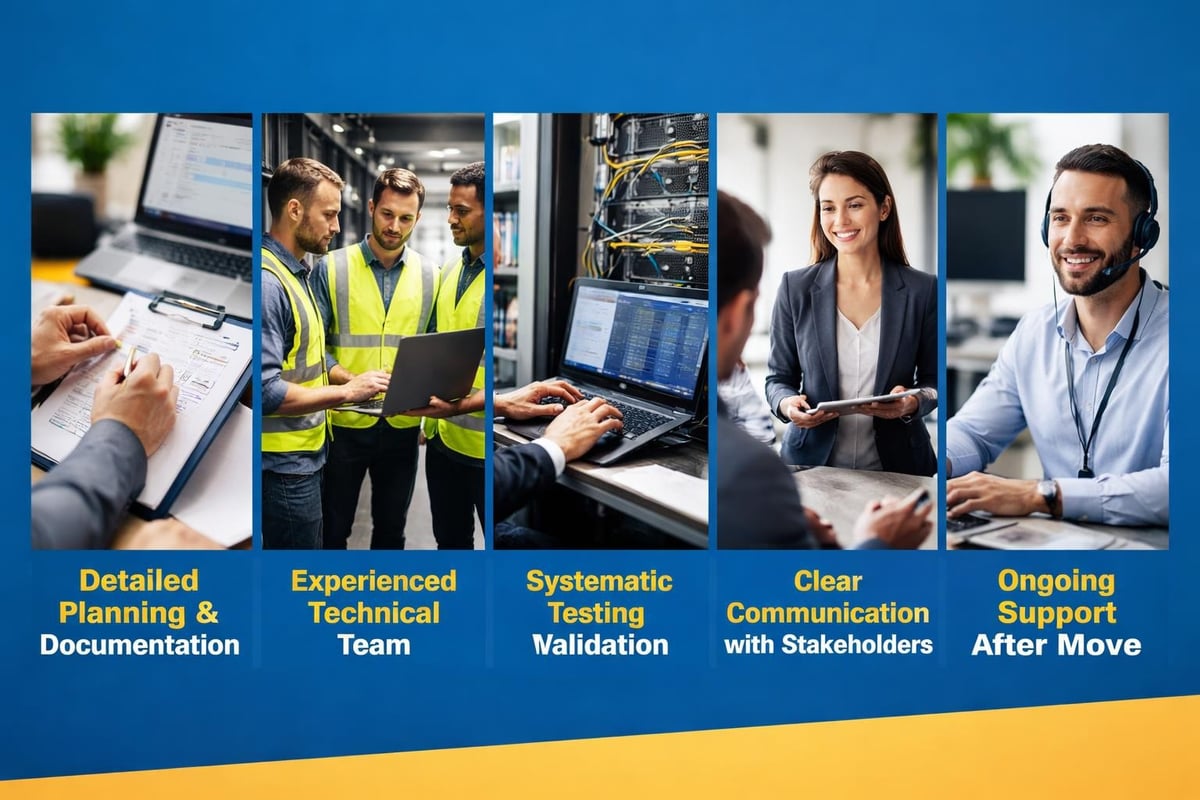
Understanding how different businesses approach IT relocations helps you anticipate your own needs and challenges.
For smaller businesses, it relocation services often focus on simplicity and minimal disruption. A typical small office might have basic workstations, shared printers, cloud-based phone systems, and internet connectivity with limited on-premise infrastructure.
These moves can sometimes be executed over a weekend:
One professional services firm with 18 employees moved from a shared office space to their own suite. By planning the move around a long weekend and using cloud-based systems, they maintained email and remote access throughout the transition. Staff worked from home Friday and Monday, and only missed one actual business day.
Larger teams require more sophisticated planning. These businesses typically have on-premise servers, more complex phone systems, multiple network segments, and cannot afford extended downtime.
A phased approach often works best:
One accounting firm used this approach during tax season. They moved their administrative team first, maintained their tax preparation team at the old location for two additional weeks, then moved the remaining staff. This staggered approach kept client work flowing without interruption.
Some relocations involve consolidating multiple offices or expanding to new locations while maintaining existing ones. These projects require sophisticated coordination and often benefit from experienced IT infrastructure management.
Case studies of complex IT relocations demonstrate the importance of detailed planning, especially in regulated industries where compliance cannot be interrupted. Financial services firms, healthcare organizations, and legal practices face additional challenges around data security and regulatory requirements during moves.
The way we use technology has changed dramatically. Your IT relocation should reflect modern work patterns and future business needs.
Many businesses today run partially or entirely on cloud services. This actually simplifies some aspects of IT relocation since your data and applications aren't tied to physical servers being transported.
Cloud advantages during moves:
However, you still need proper internet connectivity at your new location. Migrating to cloud-based infrastructure before a move can significantly reduce complexity, but requires advance planning to ensure smooth transitions.
Post-2020, many businesses maintain flexible work arrangements. Your new office IT setup should support staff who split time between office and home.
Essential considerations include:
This flexibility actually makes relocations easier in some ways. If your new office isn't quite ready, staff can work remotely while final preparations continue. The physical office becomes less critical when your systems are accessible from anywhere.
If your business runs Macs alongside Windows systems or uses Google Workspace instead of Microsoft 365, ensure your IT relocation services understand these platforms. Not all IT providers have deep expertise with diverse technology environments.
Mixed environments require additional planning around:
At Always Beyond, we specialize in supporting Mac environments and Google Workspace, making us uniquely qualified to handle relocations for creative agencies, marketing firms, and other businesses that prefer these platforms.
Understanding the true cost of IT relocation services helps you budget accurately and avoid surprise expenses.
IT relocation costs vary widely based on business size, complexity, and timeline. However, most projects include similar expense categories.
Common cost elements:
For small businesses, a simple relocation might cost $3,000 to $8,000. Mid-size companies with more complex infrastructure should budget $10,000 to $30,000 or more. The investment pays for itself by preventing costly downtime and ensuring systems work properly from day one.
Beyond the obvious expenses, several hidden costs often surprise businesses during relocations.
Watch out for:
One marketing agency budgeted for the move itself but forgot about the two-week lead time for internet installation at their new location. They ended up paying for expensive temporary wireless internet while waiting for fiber installation, adding $2,000 to their costs.
How do you know if your IT relocation was successful? Establishing metrics beforehand helps evaluate results and identify areas needing attention.
Track these metrics before and after your move to assess the relocation's impact:
Operational metrics:
Financial metrics:
Strategic metrics:
Your IT relocation doesn't end when everyone moves in. The following weeks offer opportunities to fine-tune systems based on real-world usage.
Post-move optimization includes:
Schedule a 30-day post-move review with your IT team or service provider. This review identifies any lingering issues, validates that all systems are operating optimally, and documents lessons learned for future reference.
Smart businesses treat IT relocation as an ongoing project rather than a one-time event. Effective collaboration with your IT service provider ensures you're getting maximum value from your technology investment in both the short and long term.
Moving your business doesn't have to mean risking your technology infrastructure or accepting days of downtime. With proper planning, the right expertise, and a systematic approach, it relocation services transform a potentially stressful transition into an opportunity to improve your IT environment and set your business up for continued growth. At Always Beyond, we bring years of relocation experience, Mac and Google Workspace expertise, and a human-first approach that puts your business needs first. Whether you're moving across town or consolidating multiple locations, we're here to ensure your technology works flawlessly from day one-with no long-term contracts required. Schedule a free consultation to discuss your upcoming move and discover how we can make your IT relocation seamless and stress-free.
See exactly how your current IT setup measures up to our Hack Free standards. Enter your business email to receive:
