
Shawn Freeman
CEO


Moving your business to a new location represents a significant milestone, but the technology transition can make or break your operations. While packing boxes and hiring movers seems straightforward, relocating your IT infrastructure requires specialized expertise to avoid costly downtime and data loss. Professional office IT relocation services ensure your technology arrives safely, connects properly, and keeps your team productive from day one in the new space.
Your IT infrastructure represents the nervous system of your business. Every cable, router, server, and workstation plays a critical role in keeping operations running smoothly. Unlike furniture that can arrive late without major consequences, even a few hours of technology downtime can cost thousands in lost productivity and revenue.
Strategic IT office relocation planning starts weeks or even months before moving day. Business owners often underestimate the complexity involved because they view technology as "just equipment to unplug and move." In reality, your network configuration, security protocols, and data integrity all depend on careful coordination.
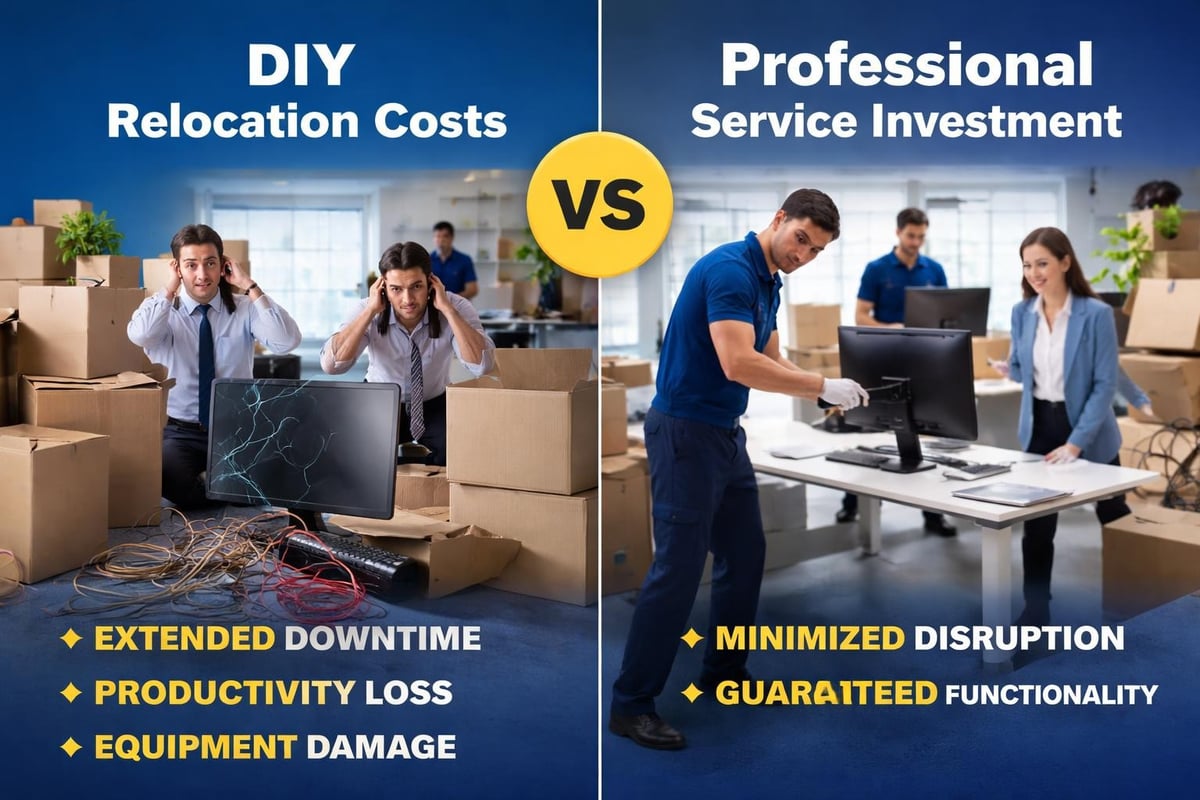
Many small businesses attempt to handle technology relocation internally to save money. This approach frequently backfires in several ways:
One Calgary marketing firm learned this lesson the hard way when their internal team moved a server rack. They saved $2,000 on professional office IT relocation services but lost $15,000 in billable hours during the three days it took to restore full functionality.

Quality office IT relocation services encompass far more than physically moving equipment. Professional providers approach each transition systematically, ensuring nothing falls through the cracks during this vulnerable period.
Before anyone unplugs a single cable, experienced IT relocation specialists conduct comprehensive assessments. They document your current infrastructure with detailed photos, diagrams, and inventories. This documentation becomes invaluable when reconstructing your network in the new location.
The assessment phase includes:
Proper IT planning during this phase prevents the chaotic scrambling that often occurs when businesses rush into moves without adequate preparation.
Your business data represents one of your most valuable assets. Professional office IT relocation services prioritize data protection through multiple redundant backup systems before, during, and after the move.
| Backup Type | Purpose | Timing |
|---|---|---|
| Full System Backup | Complete restoration capability | 48 hours before move |
| Incremental Backup | Capture recent changes | Night before move |
| Cloud Backup | Off-site protection | Ongoing during transition |
| Critical Data Backup | Essential files only | Morning of move |
This layered approach ensures your business can recover quickly even if unexpected problems occur during transport. Cybersecurity measures remain crucial throughout the relocation process, as data becomes particularly vulnerable during physical transitions.
Technology equipment requires specialized packing materials and handling techniques. Standard moving boxes and bubble wrap don't provide adequate protection for sensitive electronics.
Professional services use:
They also maintain chain-of-custody documentation, tracking every piece of equipment from old location to new. This accountability prevents items from disappearing during the chaos of moving day.
Timing represents perhaps the most critical factor in successful technology relocations. Most businesses cannot afford extended downtime, making careful scheduling essential for maintaining productivity.
Smart businesses coordinate their IT relocation around natural low-activity periods. Weekend moves, holiday weeks, or end-of-quarter timing can significantly reduce impact on daily operations.
Professional office IT relocation services help you identify optimal timing by:
One accounting firm working with Always Beyond scheduled their relocation for the week after tax season, avoiding disruption during their busiest period. The managed IT service approach allowed them to maintain client service continuity while transitioning locations.
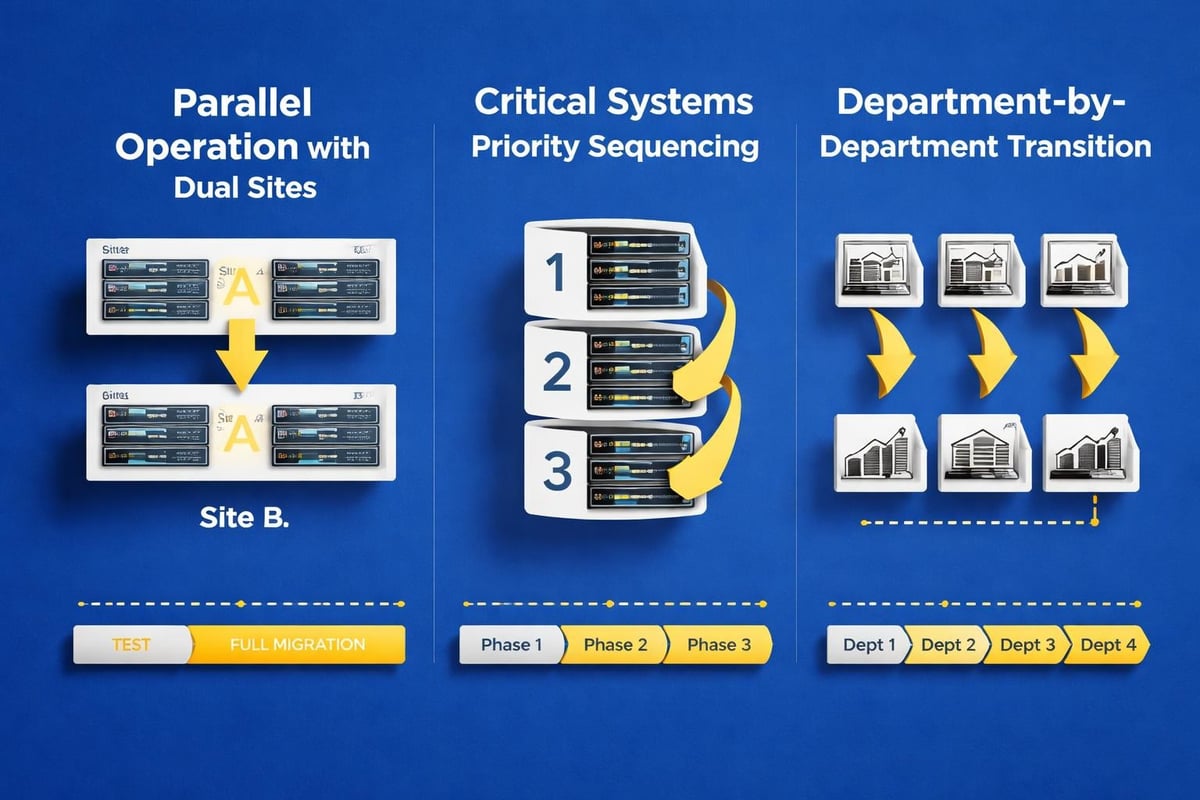
Not every business can afford a complete shutdown for relocation. Phased approaches allow critical systems to remain operational throughout the transition.
Option 1: Parallel Operation Maintain systems at both locations temporarily, migrating users in waves. This approach costs more but ensures zero downtime for customer-facing operations.
Option 2: Critical Systems First Move essential infrastructure initially, then transfer remaining equipment once core services stabilize in the new location.
Option 3: Department-by-Department Relocate one team at a time, allowing each group to settle before moving the next. This works well for larger organizations with distinct operational units.
Simply recreating your old network layout in a new building rarely produces optimal results. Professional office IT relocation services include comprehensive network design tailored to your new space.
Before equipment arrives, technicians should visit the new location to:
Many modern office buildings include shared infrastructure that affects how you configure your systems. Understanding these elements before moving day prevents frustrating surprises.
Your old office might have accumulated years of cable patches and workarounds. Relocation provides an opportunity to implement clean, organized infrastructure from the start.
| Infrastructure Element | Old Location Challenge | New Location Opportunity |
|---|---|---|
| Ethernet Cabling | Tangled, undocumented runs | Organized, labeled system |
| Power Distribution | Overloaded circuits | Properly balanced loads |
| Cable Management | Messy bundles | Professional routing |
| Wireless Coverage | Dead zones | Optimized access points |
| Security Systems | Outdated equipment | Modern integrated solutions |
Professional IT maintenance becomes much easier when you start with properly organized infrastructure rather than inheriting someone else's tangled mess.
The most critical phase of any IT relocation occurs before employees arrive at the new location. Comprehensive testing identifies and resolves issues while technicians are on-site and focused.
Methodical testing prevents the chaos of users discovering problems simultaneously on the first business day. Professional office IT relocation services follow detailed checklists:
Nothing should go untested. The discovery that your conference room display won't connect during your first client meeting at the new location creates unnecessary stress and unprofessionalism.
Before declaring the move complete, involve actual users in testing workflows specific to their roles. An accountant, salesperson, and designer all interact with technology differently. What works for one might fail for another.
This practical testing often reveals issues that technicians miss because they focus on whether systems function rather than how people actually use them.
The work doesn't end when the moving trucks leave. The first few weeks in a new location inevitably surface issues that weren't apparent during initial testing.
Quality office IT relocation services include on-site support during the first days of operation. Having technicians readily available when employees encounter problems prevents small issues from cascading into major productivity losses.
This support typically covers:
Responsive managed IT support during this transition period helps teams settle into the new environment without technology frustrations derailing their productivity.
Initial network configurations rarely prove optimal once real-world usage begins. Professional providers monitor performance metrics and adjust configurations to address bottlenecks or coverage gaps.
Week 1 Focus Areas: Connectivity stability, bandwidth usage, wireless dead zones
Week 2-4 Focus Areas: Application performance, backup timing optimization, security monitoring
Month 2-3 Focus Areas: Long-term performance trends, capacity planning, user satisfaction
This ongoing optimization ensures your technology infrastructure supports rather than hinders business operations in the new location.
Business owners understandably want to control relocation expenses, but choosing office IT relocation services based solely on price often proves penny-wise and pound-foolish.
Comprehensive office IT relocation services provide value beyond basic equipment moving:
| Service Component | Business Value | Cost of Skipping |
|---|---|---|
| Pre-move planning | Organized transition | Chaotic move day |
| Professional packing | Equipment protection | Damaged hardware |
| Backup verification | Data security | Potential data loss |
| Network redesign | Optimized performance | Subpar connectivity |
| Testing protocol | Issue prevention | Frustrated employees |
| Post-move support | Quick problem resolution | Extended downtime |
The true cost of technology relocation includes both direct expenses and the hidden costs of downtime, lost productivity, and damaged equipment.
Understanding what downtime actually costs your business puts IT relocation expenses in perspective. If your team of 20 employees averages $50 per hour in fully-loaded labor costs, each hour of complete downtime costs $1,000. A single day costs $8,000.
Professional office IT relocation services that cost $5,000 but reduce downtime from three days to four hours save you more than $20,000 in productivity alone. This calculation doesn't account for lost sales, damaged client relationships, or employee frustration.
Not all IT service providers offer equivalent relocation expertise. Selecting the right partner significantly impacts your transition success.
When evaluating potential office IT relocation services, consider these critical factors:
Ask potential providers about their most challenging relocation project and how they handled unexpected complications. Their response reveals problem-solving capabilities and honesty about realistic expectations.
Smart business owners dig deeper than marketing materials suggest. These questions separate experienced professionals from companies dabbling in relocation services:
The provider's willingness to answer thoroughly and provide documentation demonstrates their professionalism and transparency.
Modern businesses rely on diverse technology platforms, each requiring specialized knowledge during relocation.
Many IT providers focus exclusively on Windows environments, creating challenges for businesses using Apple equipment. Mac workstations, servers, and integrated ecosystems require different handling than PC-based infrastructure.
Always Beyond specializes in Mac support alongside Windows systems, understanding the unique requirements of mixed-platform environments. This expertise proves particularly valuable when relocating creative agencies, design firms, and media companies that depend on Apple technology.
Businesses using Google Workspace for email, file storage, and collaboration benefit from relocation services that understand cloud-based infrastructure. The transition focus shifts from moving physical servers to ensuring reliable internet connectivity and reconfiguring access controls.
Office relocation planning for Google Workspace environments emphasizes different priorities than traditional server-based setups, including bandwidth requirements, wireless coverage optimization, and single sign-on configuration.
Companies using Microsoft 365 often maintain hybrid infrastructure with both cloud services and on-premises equipment. Professional office IT relocation services coordinate these complex environments, ensuring cloud services remain accessible while physical infrastructure transitions.
Learning from others' mistakes costs far less than making your own. These frequent relocation problems prove entirely preventable with proper planning.
Rushing technology relocation creates cascading problems. Successful office moves typically require 8-12 weeks of planning for small businesses and longer for complex infrastructure.
Realistic Timeline:
Employees become frustrated when they don't know what to expect or how the move affects them. Clear communication strategies prevent confusion and help team members prepare appropriately.
Share specific information about:
The temptation to declare success once equipment arrives at the new location leads to painful first-day problems. Professional office IT relocation services build substantial testing time into project plans, validating functionality before users depend on systems.
Budget at least one full business day for testing before employees arrive. Complex environments may require several days of validation and adjustment.
Smart businesses view relocation as an opportunity to upgrade and optimize rather than simply recreating their old setup in a new building.
Relocation provides natural timing for improvements you've been postponing:
These improvements often cost less during relocation than as separate projects because technicians are already on-site and configuring systems.
Moving provides an honest assessment of what you actually need versus what you've accumulated. Many businesses discover they're maintaining equipment that serves no purpose or can be replaced with more efficient alternatives.
This evaluation might reveal opportunities to reduce costs through cloud services, eliminate redundant systems, or consolidate vendors for better pricing and simpler management.
Office IT relocation services transform potentially chaotic transitions into smooth, well-coordinated projects that minimize disruption and position your technology for long-term success. The difference between amateur moves and professional relocations becomes painfully apparent when businesses compare downtime, data security, and employee satisfaction. Always Beyond brings specialized expertise to technology transitions, ensuring your systems arrive safely, connect properly, and support your team from day one in your new location. Our no-contract, human-first approach means you get personalized relocation planning without long-term commitments, and our expertise across Mac, Windows, and Google Workspace environments ensures your specific technology needs are understood and addressed. Ready to plan a stress-free office move? Book a consultation to discuss your relocation timeline and technology requirements.
See exactly how your current IT setup measures up to our Hack Free standards. Enter your business email to receive:
