
Shawn Freeman
CEO


When your email goes down at 9 AM on a Monday morning, or your team can't access critical files, you need more than just a phone number to call. You need a reliable partner who understands your business, responds quickly, and prevents problems before they disrupt your day. That's what quality service IT support delivers. It's the difference between scrambling to fix technology fires and running a business with confidence, knowing your systems are monitored, maintained, and protected by experts who actually care about your success.
Service IT support encompasses the ongoing management, maintenance, and troubleshooting of your technology infrastructure. Unlike one-time fixes or project-based work, service IT support provides continuous assistance to keep your systems running smoothly.
Think of it as having a dedicated technology team without the overhead of hiring full-time staff. Your service IT support partner monitors your network, manages updates, responds to issues, and plans for future technology needs. This proactive approach prevents downtime, protects your data, and lets you focus on growing your business instead of fighting with computers.
Modern service IT support includes several essential elements:
The best providers combine technical expertise with genuine customer service. They explain solutions in plain English, respond quickly when you need help, and remember the details about your business that matter.

Many businesses start with break-fix IT support, where you only call a technician when something breaks. It seems cost-effective at first. You only pay when you need help, right?
The hidden costs tell a different story:
| Break-Fix IT | Service IT Support |
|---|---|
| Reactive response after problems occur | Proactive monitoring prevents issues |
| Unpredictable costs during emergencies | Predictable monthly investment |
| No one monitoring your systems | 24/7 system oversight |
| Minimal documentation | Complete system documentation |
| Downtime impacts revenue | Maximum uptime protection |
When a server crashes or ransomware locks your files, break-fix costs skyrocket. You're paying emergency rates while your team sits idle, unable to work. One serious incident can cost more than months of service IT support.
According to IT service management best practices, defining clear service levels and maintaining proactive monitoring significantly reduces both costs and downtime compared to reactive approaches.
Consider what one hour of downtime actually costs your business. If you have 10 employees who can't work, you're losing their productive time plus the revenue they would have generated. For many small businesses, a single day of serious IT problems can cost thousands of dollars in lost productivity and revenue.
Service IT support transforms this equation. Instead of expensive emergencies, you have predictable costs and minimal disruptions.
Not all service IT support delivers the same value. The difference between mediocre and exceptional support often comes down to how providers structure their services and treat their clients.
When you submit a ticket at 4 PM on Friday, will anyone respond? 24/7 IT support ensures someone is always available when you need help, not just during business hours when problems are convenient.
Response time tiers matter:
The best service IT support providers clearly communicate these expectations and consistently meet them. No guessing when help will arrive.
This is where service IT support truly shines. Instead of waiting for your server to crash, monitoring systems track disk space, memory usage, network performance, and security threats continuously.
When something trends toward failure, your IT partner addresses it before it impacts your day. Software updates happen during off-hours. Security patches deploy automatically. Backups run and verify successfully every night.
Research from Zendesk on ITSM best practices shows that automating repetitive tasks and implementing proactive monitoring reduces ticket volume by up to 40%, allowing support teams to focus on strategic improvements rather than constant firefighting.
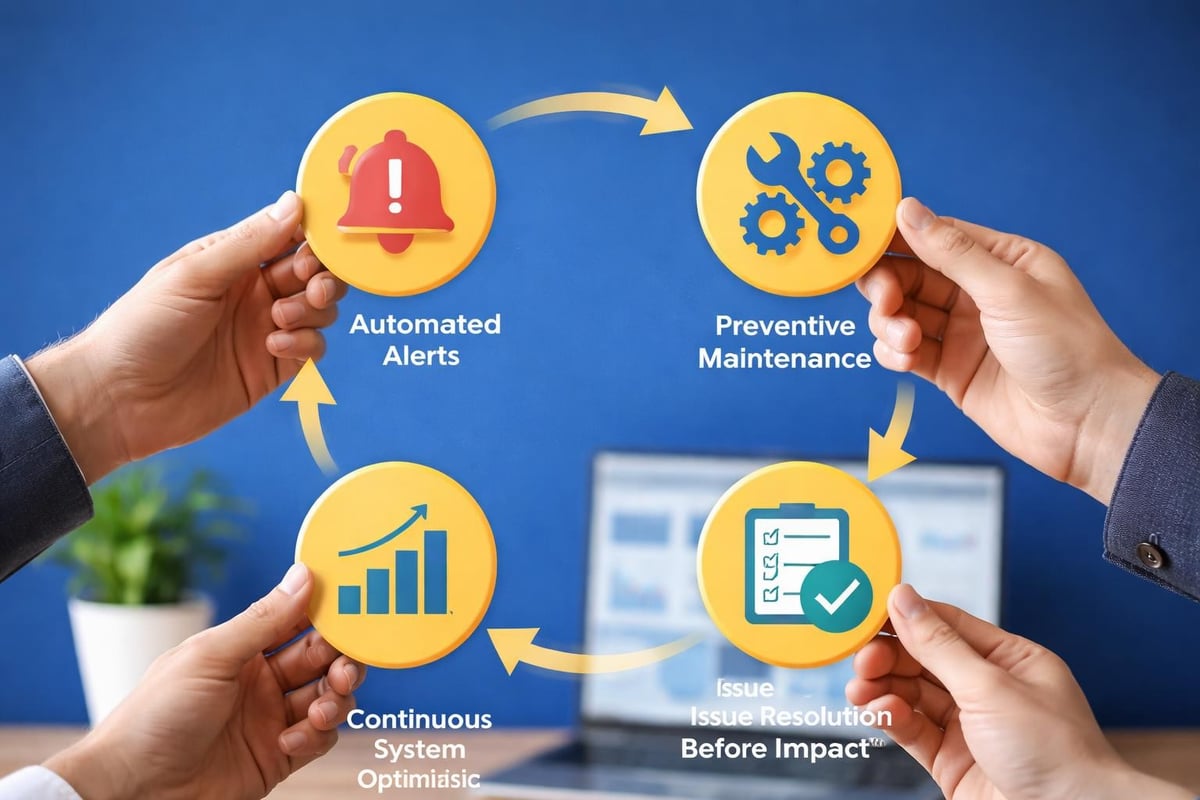
Professional service IT support follows established methodologies that ensure consistent, reliable results. These practices protect your business and maximize the value you receive from your technology investments.
Every request should enter a formal ticketing system, even if you submit it via phone or email. This creates accountability, tracks resolution time, and builds a knowledge base of solutions.
Benefits of proper ticketing include:
When a new technician joins your account, they can review ticket history to understand your environment and past challenges. Nothing gets forgotten or lost between shifts.
Your service IT support partner should handle security as a core responsibility, not an afterthought. This includes managing updates, configuring firewalls, monitoring for threats, and ensuring IT support compliance with relevant regulations.
For businesses in healthcare, finance, or other regulated industries, compliance isn't optional. Your IT provider needs to understand requirements like HIPAA, PCI-DSS, or industry-specific standards and implement appropriate controls.
Technology should support your business goals, not just exist because someone installed it years ago. Quality service IT support includes regular strategy sessions to discuss your plans, challenges, and how technology can help you achieve more.
Quarterly business reviews typically cover:
This strategic approach aligns technology spending with business value. You invest in tools that actually move your business forward.
The technology landscape has changed dramatically in recent years. Cloud services, remote work, mobile devices, and cybersecurity threats create new challenges that traditional IT support models weren't designed to handle.
Your team probably uses a mix of Windows PCs, Macs, smartphones, cloud applications, and on-premise servers. The days of a simple, uniform IT environment are gone.
Comprehensive service IT support needs expertise across platforms. This is particularly important for Mac support, which many IT providers overlook. If your creative team or executives prefer Mac, you need a partner who can support those devices as expertly as Windows computers.
Similarly, businesses using Google Workspace instead of Microsoft 365 need providers familiar with Gmail, Google Drive, and related tools. Generic service IT support that only knows Microsoft products won't serve you well.
When team members work from home, coffee shops, or client sites, your IT support needs to reach them wherever they are. Remote support tools, VPN configuration, cloud file access, and mobile device management become essential.
According to essential help desk best practices, clear communication with users and maintaining accessible knowledge bases become even more critical when supporting distributed teams who can't simply walk to the IT desk.

Selecting an IT support provider isn't just about comparing prices or response times. You're choosing a partner who will protect your business data, keep your team productive, and guide your technology decisions for years.
Before committing to service IT support, understand exactly what you're getting. Some providers sound comprehensive but deliver minimal value when you actually need help.
Critical questions include:
Pay attention not just to the answers, but how they're delivered. Do they use jargon to confuse you, or explain things clearly? Do they listen to your concerns, or push a one-size-fits-all package?
Many IT providers lock you into multi-year contracts with steep cancellation fees. This creates a trapped feeling where you can't leave even if service deteriorates.
The best service IT support operates differently. When providers deliver genuine value, they don't need contracts to keep clients. They earn your business every month through responsive service, proactive protection, and strategic guidance.
This flexibility also extends to services. As your business grows or changes, your IT needs evolve. Can your provider scale up support quickly? Do they offer managed IT services that grow with you?
You should know whether your IT support delivers real value or just consumes budget. The right metrics help you assess performance and identify areas for improvement.
Track these metrics quarterly:
| Metric | Target | Why It Matters |
|---|---|---|
| First response time | < 15 minutes (critical) | Shows responsiveness |
| Average resolution time | Trending downward | Indicates efficiency |
| Uptime percentage | > 99.5% | Measures reliability |
| User satisfaction score | > 4.5/5 | Reflects actual experience |
| Recurring issues | Trending downward | Shows proactive improvement |
Beyond numbers, consider qualitative factors. Does your team trust your IT provider? Do they feel comfortable asking questions? When you call with a problem, do you feel heard and helped?
The best service IT support providers share these metrics proactively and discuss them during regular business reviews. They use data to drive continuous improvement, not hide problems.
Service IT support should save you more than it costs. Calculate the value by considering:
For most businesses, quality service IT support pays for itself within the first few months by preventing a single major incident that would have cost thousands in emergency repairs and lost productivity.
Even with excellent service IT support, you'll occasionally face challenges. Understanding common issues and how professional providers address them helps set realistic expectations.
Sometimes you submit a ticket and feel like you're shouting into the void. Where did it go? Who's working on it? When will it be fixed?
Professional providers solve this through:
You should never wonder what's happening with your request. Effective communication practices include addressing issues promptly and keeping users informed throughout the resolution process.
What exactly is covered by your service IT support agreement? Confusion about scope leads to frustration on both sides.
The best approach involves clear service definitions upfront. Your provider should explain what's included, what requires additional fees, and how to request work outside the standard scope. Written documentation prevents misunderstandings.
If you need help with a special project, your provider should give you a clear estimate before starting work. Transparency builds trust.
Technology changes constantly. New threats emerge, new tools launch, and business requirements evolve. Your service IT support partner needs to maintain current skills across a broad technology landscape.
Ask about ongoing training, certifications, and how they stay current with emerging technologies. Providers who invest in their team's development deliver better long-term value.
The most valuable aspect of service IT support isn't fixing broken computers. It's the strategic guidance that helps you make smart technology decisions aligned with your business goals.
When should you replace aging equipment? Which cloud services make sense for your needs? How much should you invest in cybersecurity?
Your service IT support partner should help answer these questions based on your specific situation. They understand your environment, your budget constraints, and your growth plans.
This strategic partnership includes:
This forward-looking approach prevents expensive surprises and ensures technology investments deliver real business value. For more guidance on this strategic relationship, see how to work effectively with your IT service provider.
Every business faces cyber threats in 2026, regardless of size or industry. Ransomware, phishing, data breaches, and other attacks target small businesses specifically because they often lack robust defenses.
Your service IT support partner should integrate cybersecurity into every aspect of your IT environment. This includes endpoint protection, email filtering, network security, backup verification, security awareness training, and incident response planning.
Security isn't a one-time project. It's an ongoing discipline that requires constant vigilance, regular updates, and adaptation to new threats. Quality service IT support makes this happen without requiring you to become a security expert.
If you're currently managing IT yourself or using inconsistent break-fix support, transitioning to comprehensive service IT support requires planning. The process doesn't have to be disruptive.
Professional service IT support begins with discovery and assessment. Your new provider needs to understand your current environment before they can effectively support it.
The typical onboarding process includes:
This foundation ensures your provider can respond effectively from day one. While thorough onboarding takes time, it prevents future confusion and missed issues.
If you're switching from another IT provider, the transition requires coordination to prevent gaps in coverage. Your new service IT support partner should handle this professionally, maintaining access to critical systems while knowledge transfers.
Expect a transition period where both providers may overlap slightly. This ensures continuity and gives your new team time to understand your environment fully before the previous provider's access ends.
Quality service IT support transforms technology from a constant source of stress into a competitive advantage that enables growth. When you partner with experts who monitor your systems proactively, respond quickly to issues, and guide your strategic technology decisions, you gain the freedom to focus on what you do best while knowing your technology infrastructure is secure and reliable. Always Beyond delivers this comprehensive approach without long-term contracts, combining technical expertise with genuine care for your success, whether you need Mac support, Google Workspace assistance, or strategic cybersecurity guidance.
See exactly how your current IT setup measures up to our Hack Free standards. Enter your business email to receive:
