
Shawn Freeman
CEO


Running a small business in Calgary means juggling countless responsibilities, and technology issues shouldn't add to your stress. Whether you're dealing with a frozen server during tax season, employees locked out of critical files, or worrying about cybersecurity threats, having the right IT support for small business Calgary makes all the difference. The challenge isn't just finding someone who can fix problems-it's finding a partner who understands your business, responds quickly, and helps you avoid disasters before they happen.
Calgary's business landscape presents unique challenges. From supporting remote workers across Alberta to managing seasonal workflow spikes, small businesses here need IT partners who understand local needs.
The days of calling a friend who "knows computers" are long gone. Modern businesses run on interconnected systems that require professional oversight. Your accounting software talks to your CRM, which connects to cloud storage, which integrates with your email system. When one piece breaks, everything stops.
Many business owners try handling IT themselves to save money. This approach typically backfires in three ways:
According to Lenovo's comprehensive guide on small business IT support, businesses that invest in professional IT support experience better cost efficiency and access to specialized expertise that would be impossible to maintain in-house.

Calgary businesses face specific considerations that generic IT providers often miss. Our climate creates unique challenges-power fluctuations during storms, heating system interactions with server rooms, and connectivity issues during severe weather events.
Additionally, Calgary's diverse business ecosystem means IT support must adapt to various needs. A professional services firm has completely different requirements than a manufacturing company or retail operation. The right IT support for small business Calgary understands these nuances.
Quality IT support isn't just about fixing broken computers. It's a comprehensive approach that keeps your business running smoothly while preparing for future growth.
Your first line of defense is responsive helpdesk support. When an employee can't access their email or a printer stops working, they need answers fast.
Effective helpdesk support includes:
Small businesses can utilize help desk software to improve efficiency and reduce pressure on staff through self-service options for common issues.
The best IT problems are the ones that never happen. Proactive monitoring catches issues before they impact your business.
| Monitoring Type | What It Catches | Business Impact |
|---|---|---|
| Network Monitoring | Bandwidth issues, connection problems | Prevents slowdowns and outages |
| Server Monitoring | Hardware failures, capacity limits | Avoids data loss and downtime |
| Security Monitoring | Suspicious activity, breach attempts | Stops threats before damage occurs |
| Backup Verification | Failed backups, corrupted data | Ensures recovery is possible |
This proactive approach is central to Always Beyond's managed IT service philosophy, where issues are identified and resolved before they disrupt your workday.
What would happen to your business if you lost all your data tomorrow? Most small businesses that experience major data loss never recover.
A robust backup strategy includes:
Best practices for IT support emphasize that backup and disaster recovery aren't optional-they're fundamental components of business continuity.
Cybersecurity threats don't discriminate by company size. In fact, small businesses often make easier targets because criminals assume they have weaker defenses.
Calgary small businesses face multiple threat vectors daily. Email phishing attacks target your employees with increasingly sophisticated scams. Ransomware can encrypt all your files and demand payment for access. Data breaches can expose sensitive customer information, damaging your reputation and violating privacy laws.
The financial impact extends beyond immediate losses. According to VBS IT Services, investing in cybersecurity becomes more critical as businesses grow, with compliance requirements and reputational risks increasing alongside revenue.
Effective cybersecurity requires multiple protective layers working together:
Network Security
Endpoint Protection
Email Security
Always Beyond's comprehensive cybersecurity services provide these essential layers with regular assessments to identify vulnerabilities before attackers do.
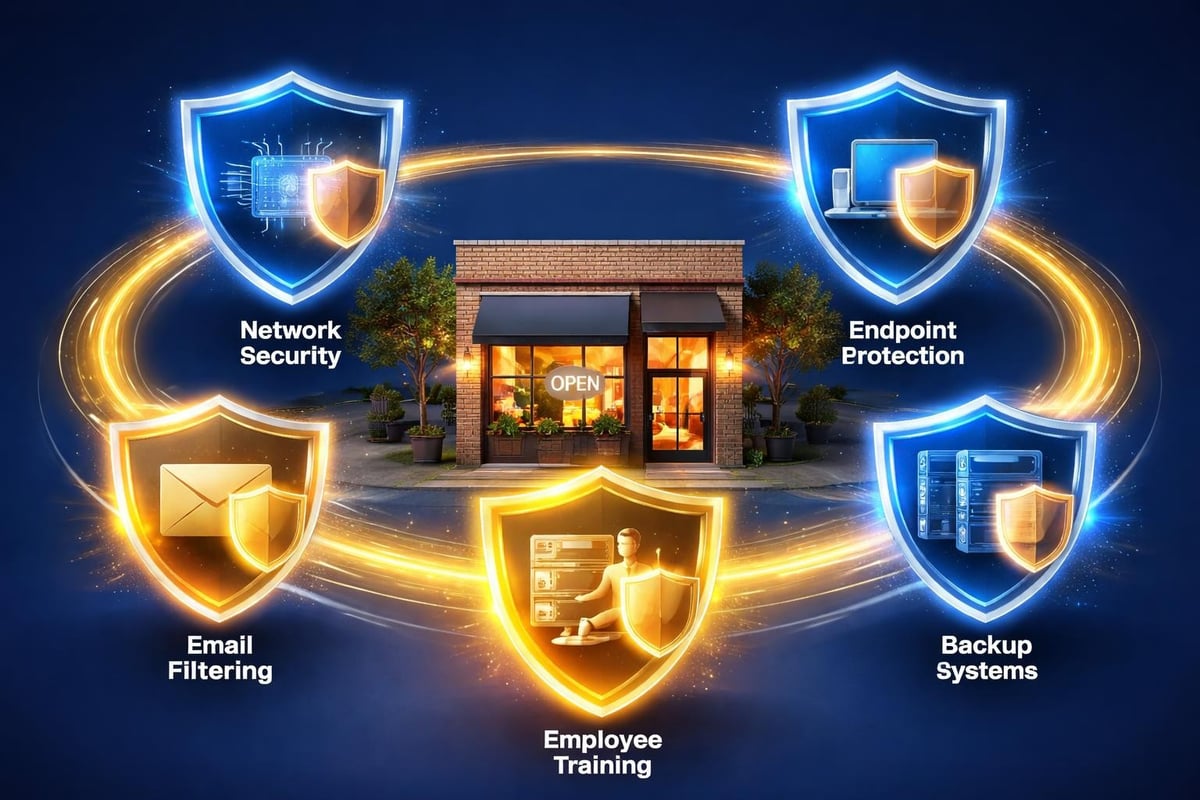
Technology alone can't protect your business. Your employees are both your greatest vulnerability and your strongest defense.
Security awareness training should be:
Empire Technologies emphasizes that establishing a strong cybersecurity foundation requires both technical controls and employee awareness working in harmony.
Cloud computing has revolutionized how small businesses operate, but moving to the cloud requires guidance to avoid costly mistakes.
Not every business needs to move everything to the cloud immediately. The right approach depends on your specific needs, existing infrastructure, and growth plans.
Benefits of Cloud Solutions:
Common Cloud Services for Small Businesses:
Many Calgary businesses use Google Workspace for its intuitive interface and collaboration features. Always Beyond provides specialized support for Google Workspace alongside traditional Microsoft environments, giving you flexibility other IT providers can't match.
Optimizing IT infrastructure for small business growth requires investing in scalable cloud solutions and robust security frameworks that adapt as your needs evolve.
Your infrastructure decisions today impact your business capabilities tomorrow. Quality IT support for small business Calgary means having advisors who help you plan for growth, not just maintain current systems.
Selecting an IT support provider is one of the most important decisions you'll make for your business. The wrong choice leads to frustration, hidden costs, and vulnerabilities. The right partner becomes an extension of your team.
Watch out for these warning signs when evaluating IT providers:
Before committing to any IT support relationship, get clear answers to these questions:
Service Delivery:
Technical Expertise:
Business Approach:
Straten Solutions highlights the importance of leveraging managed IT services for predictability and scalability, allowing businesses to focus on core operations rather than technology headaches.
What makes it support for small business Calgary effective isn't just technical knowledge-it's the approach to partnership. Always Beyond stands apart through several key differentiators:
No-Contract Flexibility You're never locked in. Stay because the service is excellent, not because you're trapped in a contract.
Mac and PC Expertise Many Calgary businesses use Macs alongside PCs. Always Beyond supports both seamlessly, unlike providers who struggle with Apple devices.
Google Workspace and Microsoft 365 Whether your team lives in Gmail or Outlook, you get expert support without being pushed toward one platform.
Human-First Philosophy Technology serves people, not the other way around. Support is delivered with patience and clarity, not condescension or jargon.
When you're choosing the right IT service provider for your business, these factors make the difference between frustration and peace of mind.

Hiring an IT support provider is just the beginning. Getting real value requires active participation and clear communication.
The strongest IT relationships start with clarity. Your provider needs to understand your business goals, not just your technical setup.
During onboarding, ensure your IT partner learns:
Working effectively with your IT service provider requires regular communication and mutual accountability.
| Your Responsibility | Provider Responsibility | Outcome |
|---|---|---|
| Report issues promptly and clearly | Respond within committed timeframes | Problems solved faster |
| Communicate business changes | Proactively adjust IT strategy | Technology supports growth |
| Participate in security training | Deliver relevant, practical training | Stronger security posture |
| Provide feedback on service | Continuously improve processes | Better service quality |
| Budget appropriately for IT | Recommend cost-effective solutions | Optimal ROI on technology |
Track these metrics to ensure you're getting value:
Quality IT support for small business Calgary should improve these metrics over time, not just maintain them.
Different industries have unique IT requirements that generic providers often miss.
Professional services firms handle extremely sensitive client information. Best practices for IT support include fostering open communication between IT staff and employees to understand document management, client confidentiality, and workflow needs.
Key requirements include:
Medical practices, dental offices, and wellness clinics face strict privacy regulations alongside standard IT needs.
Essential considerations:
Retail businesses and restaurants need IT systems that support customer-facing operations without disruption.
Technology priorities include:
Design firms and marketing agencies demand high-performance systems for resource-intensive work.
Specialized needs include:
For agencies working with Mac ecosystems, Always Beyond's specialized Mac support ensures your creative tools work flawlessly.
Technology changes rapidly, but smart planning helps you stay ahead without constant expensive overhauls.
Your IT infrastructure should grow with your business, not hold it back. When evaluating solutions, consider:
User Capacity: Can this system handle 50% more users without replacement?
Data Growth: Where will you store information as your files multiply?
Integration Flexibility: Will new software connect with your existing systems?
Performance Headroom: Do your current systems have capacity for increased workload?
Not every new technology belongs in your business immediately. The newest tools often have bugs and compatibility issues that waste time and money.
A strategic approach:
Schedule quarterly IT strategy sessions with your provider to:
This proactive planning prevents emergency decisions made under pressure when systems fail.
Understanding typical problems helps you recognize them early and respond effectively.
Calgary's harsh winters make remote work capabilities essential, not optional. Employees need secure access to company systems from home during weather emergencies or when traveling.
Remote work requirements:
Many small businesses run critical operations on outdated software that "still works." These legacy systems create hidden risks:
Modernization doesn't mean replacing everything overnight. A phased approach reduces risk while improving capabilities gradually.
New systems fail when employees don't understand or embrace them. Ongoing IT training for staff helps ensure technology investments actually improve productivity.
Effective training is:
Small businesses rarely have unlimited IT budgets. Smart prioritization focuses investment where it matters most:
High Priority (Do First):
Medium Priority (Plan For):
Lower Priority (Nice to Have):
Calgary businesses benefit from working with local providers who understand regional considerations and can provide on-site support when needed.
When your IT provider is based in Calgary:
Calgary IT support options often emphasize this local advantage alongside technical capabilities.
Several quality providers serve Calgary's small business community. When comparing options, look beyond price to consider:
Service approach: Reactive break-fix versus proactive management
Industry experience: Track record with businesses similar to yours
Technology specialization: Expertise in the specific tools you use
Growth capability: Ability to scale support as your business expands
Transparency: Clear communication about costs, processes, and service levels
Managed IT support services in Calgary typically include helpdesk support, proactive monitoring, and cybersecurity solutions tailored for small business needs.
The best IT relationships transcend vendor-client dynamics. Your IT provider should function as a trusted advisor who:
This partnership approach defines quality it support for small business Calgary, where technology becomes an enabler rather than an obstacle to success. Ready to experience IT support that truly goes beyond basic service? Book a consultation with Always Beyond to discuss your specific needs and discover how the right IT partnership can transform your business operations.
Finding reliable it support for small business Calgary shouldn't feel overwhelming, but it requires careful consideration of your unique needs, budget, and growth plans. The right IT partner brings more than technical expertise-they bring peace of mind that your technology will work when you need it, your data stays secure, and your team gets fast, friendly help whenever issues arise. Always Beyond delivers exactly that kind of partnership with no-contract flexibility, comprehensive support for Mac and PC environments, and a human-first approach that makes technology work for you, not the other way around.
See exactly how your current IT setup measures up to our Hack Free standards. Enter your business email to receive:
