
Shawn Freeman
CEO


When your email server crashes at 9 AM on a Monday, your point-of-sale system freezes during your busiest sales hour, or ransomware locks your files before a critical deadline, you don't have time to wait. These scenarios aren't hypotheticals for Calgary business owners-they're real emergencies that demand immediate action. Finding reliable emergency IT support Calgary businesses can count on becomes the difference between a minor inconvenience and a catastrophic loss. Understanding what qualifies as a true IT emergency, what response times to expect, and how to access help when systems fail can protect your revenue, your reputation, and your peace of mind.
Not every technical hiccup requires emergency intervention. Understanding the distinction helps you allocate resources appropriately and ensures genuine crises receive immediate attention.
Critical situations that demand emergency IT support Calgary providers should address immediately include:
These situations share common characteristics: they stop revenue generation, expose sensitive data, or prevent essential business functions. Just like knowing when to call 9-1-1 for true emergencies in Calgary, recognizing IT emergencies requires understanding impact severity.
According to industry research on emergency IT support response times, businesses lose an average of $5,600 per minute during critical system outages. For a small Calgary retail business, that translates to thousands in lost sales during peak hours.
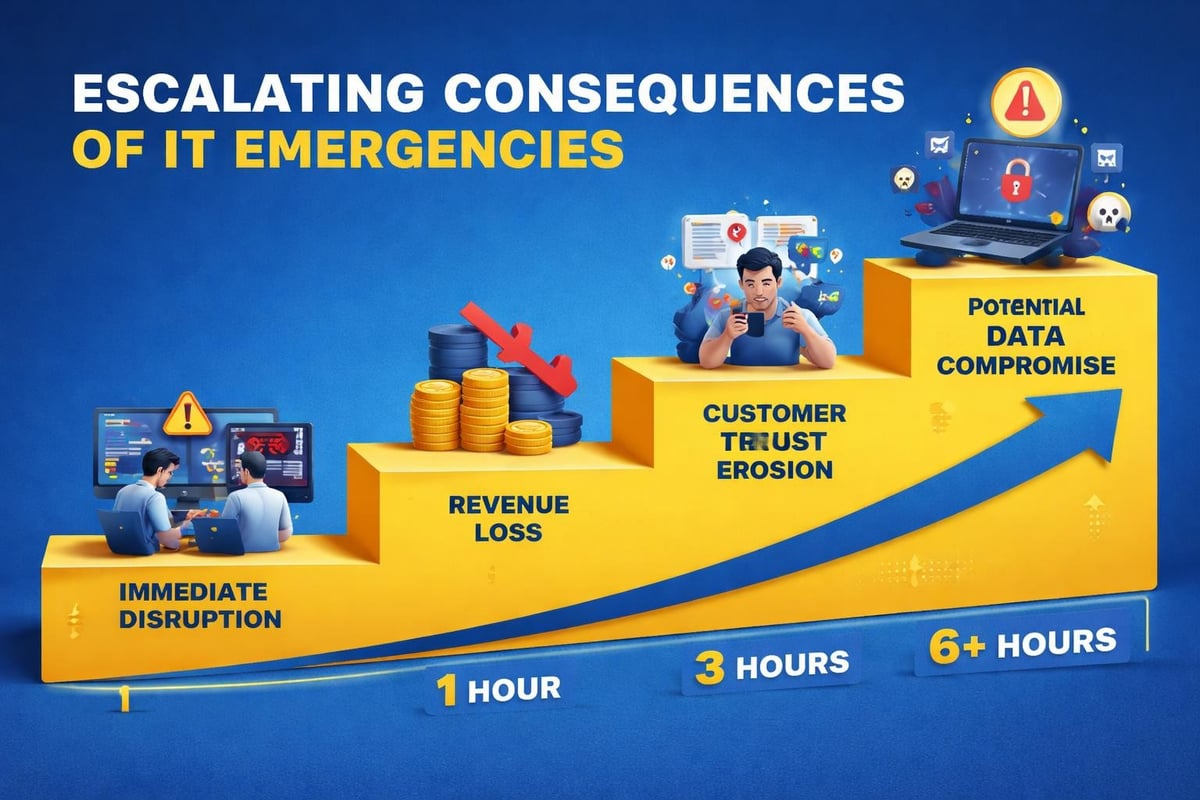
Consider these real-world scenarios Calgary businesses face:
A dental clinic loses access to patient records and scheduling systems. They can't confirm appointments, access treatment histories, or process payments. Every hour of downtime means rescheduled patients, frustrated staff, and potential regulatory compliance issues.
An e-commerce business experiences a website crash during a promotional campaign. Beyond immediate lost sales, they face advertising spend waste, damaged customer relationships, and potential revenue impact lasting days as search rankings drop.
When you're facing a crisis, "as soon as possible" isn't specific enough. Professional emergency IT support Calgary teams should provide clear response time commitments.
| Emergency Type | Target Response Time | Resolution Target |
|---|---|---|
| Complete system outage | 15-30 minutes | 2-4 hours |
| Security breach/ransomware | Immediate (under 15 min) | 1-24 hours (staged) |
| Critical application failure | 30-60 minutes | 4-8 hours |
| Network connectivity issues | 30-60 minutes | 2-6 hours |
| Email system problems | 1-2 hours | 4-8 hours |
These timeframes represent industry standards for managed IT service providers offering true emergency support. Response time means initial contact and assessment, not necessarily full resolution-complex issues may require staged recovery.
What happens during those critical first minutes matters:
The difference between a provider offering genuine emergency support and one simply claiming "24/7 availability" becomes apparent in crisis moments. Some companies route after-hours calls to voicemail or offshore call centers without decision-making authority. Others deploy experienced technicians immediately.
Modern virtual help desk technologies allow skilled technicians to resolve many emergencies remotely, often faster than driving to your location. Remote access tools enable immediate diagnosis, security updates, system restarts, and configuration changes without transit time.
However, certain emergencies require physical presence:
Quality emergency IT support Calgary services maintain both capabilities, determining the appropriate response method based on the specific situation rather than convenience.
Hoping you'll never face an IT crisis isn't a strategy. Smart Calgary business owners prepare for emergencies before they happen, reducing panic and downtime when systems fail.
Document these essential elements:
Keep this information accessible offline-printed copies in managers' offices, saved on personal mobile devices, and shared with key team members. You can't access your cloud-stored emergency contacts when your network is down.
Your managed IT service provider should provide clear escalation procedures. At Always Beyond, clients receive direct technician mobile numbers for genuine emergencies, eliminating phone tree frustration during crisis moments.
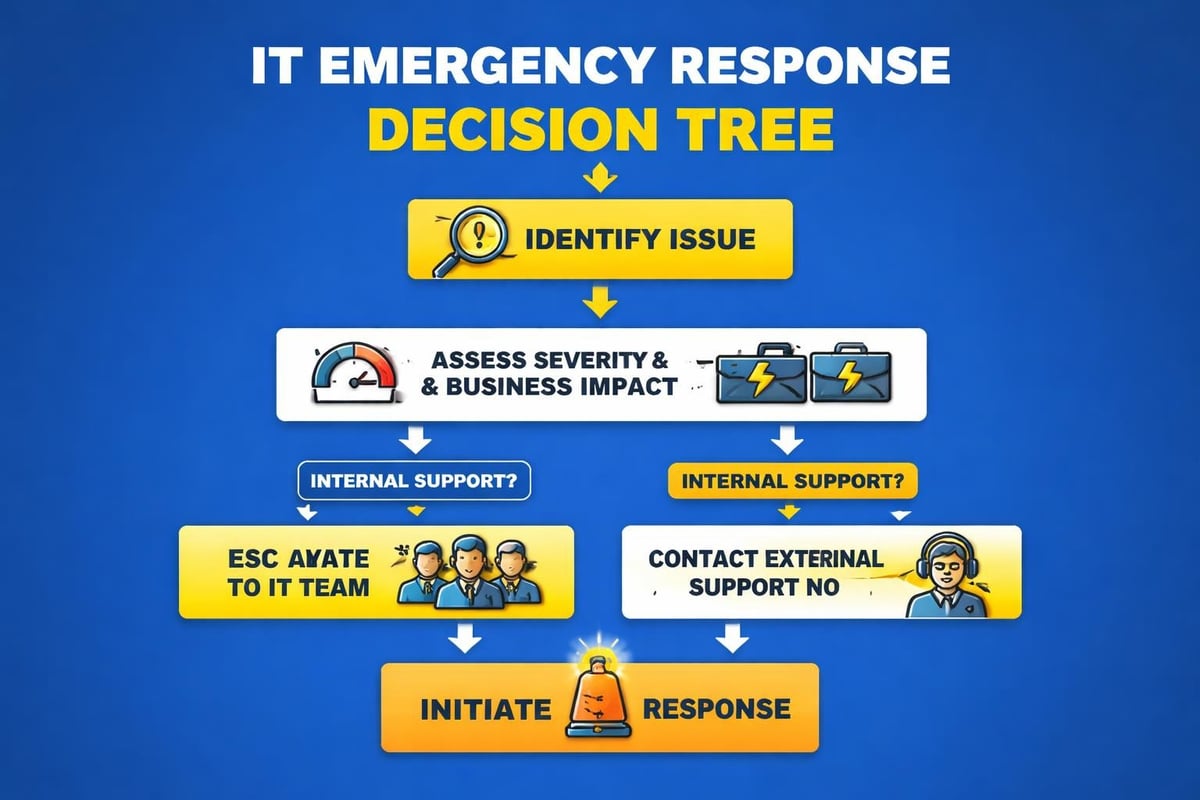
Your team members are your first line of defense. They need to recognize warning signs, understand reporting procedures, and know which actions help versus harm during incidents.
Train employees to:
A receptionist who recognizes a phishing email and reports it immediately might prevent a company-wide ransomware attack. An account manager who notices unusual file encryption patterns and sounds the alarm could save thousands of documents from compromise.
Not all IT companies offer true emergency support, and among those that do, capabilities vary dramatically. Asking the right questions before you need emergency help prevents desperate scrambling during crises.
Generic promises like "we're always available" lack accountability. Professional providers document specific commitments in service level agreements covering:
| SLA Component | What to Verify |
|---|---|
| Response time guarantees | Maximum minutes until initial contact |
| Resolution timeframes | Target hours for different emergency types |
| Availability windows | True 24/7/365 or business hours plus on-call? |
| Escalation procedures | What happens if initial response is inadequate? |
| Performance penalties | Consequences if SLAs aren't met |
Many Calgary businesses discover too late that their IT provider's "24/7 support" means email responses within 24 hours, not immediate emergency assistance. Understanding IT service contracts prevents such disappointments.
Emergency support is worthless if technicians don't understand your specific systems. If you run Mac workstations, Google Workspace for email and collaboration, and cloud-based industry applications, you need emergency responders familiar with those environments.
Verify your emergency IT support Calgary provider offers expertise in:
Always Beyond specializes in both Mac and PC environments while supporting Google Workspace alongside Microsoft platforms. This broad expertise means emergency technicians understand your actual working environment rather than trying to force-fit Windows-centric solutions onto different systems.
Geography matters during emergencies requiring physical presence. A provider headquartered in another province might offer remote support but lacks the local presence for on-site emergency response.
Calgary-based emergency IT support offers advantages beyond faster on-site arrival:
Remote-only providers can certainly assist with many emergencies, but having boots on the ground in Calgary provides options when situations demand physical intervention.
Business owners naturally want to understand pricing for emergency services. The cost structure varies significantly based on service models and your existing relationship with providers.
Companies without ongoing IT support relationships typically pay premium rates for emergency assistance. Expect costs including:
A single emergency requiring four hours of work could easily cost $1,500-3,000 under this model. For Calgary businesses facing multiple emergencies annually, these costs accumulate quickly.
Forward-thinking businesses build emergency support into their regular IT service arrangements. Managed IT service providers typically include emergency response within monthly service fees, eliminating surprise costs during crises.
This model offers several advantages:
The relationship difference matters enormously during emergencies. Technicians who already manage your systems understand your configuration, know your critical priorities, and can troubleshoot more efficiently than strangers learning your environment under pressure.
The best emergency is the one that never happens. While no system is immune to failures, proactive IT management dramatically reduces emergency frequency and severity.
Professional IT support includes continuous monitoring that detects problems before they become emergencies. Automated systems track:
These systems alert technicians to developing issues during business hours when they're easier to address, preventing 3 AM crisis calls.
Regular maintenance activities prevent common emergencies:
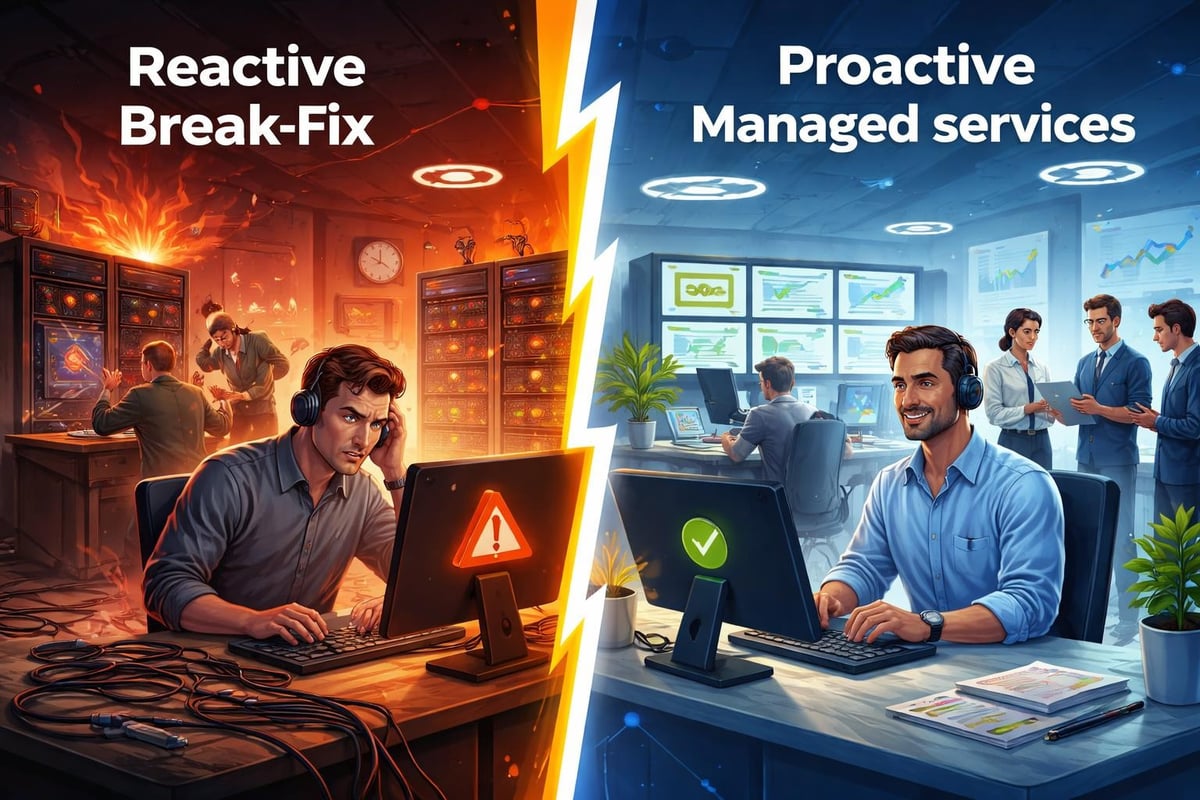
Think of this approach like regular vehicle maintenance. You could wait for your car to break down then call a tow truck (expensive, inconvenient, unpredictable), or you could follow scheduled maintenance preventing most breakdowns. The same logic applies to IT systems.
Even with perfect maintenance, disasters happen. Equipment fails, natural disasters strike, human errors occur, and cyberattacks bypass defenses. Comprehensive disaster recovery planning ensures these events don't become business-ending catastrophes.
Your emergency IT support Calgary provider should help you develop and test:
Organizations with tested disaster recovery plans recover 60% faster from major incidents than those scrambling to figure out procedures during crises. The planning investment pays for itself the first time you need it.
Understanding typical emergency situations helps you respond appropriately when they occur. Here's guidance for Calgary businesses facing common IT crises.
If you encounter screens demanding payment to unlock files, immediate action is critical:
Take these steps immediately:
Never attempt payment without professional guidance. Many ransomware variants won't decrypt files even after payment, and paying funds criminal operations while potentially violating regulations.
Professional response includes isolating infections, assessing damage scope, restoring from clean backups, and implementing enhanced security to prevent recurrence. Services like Always Beyond's comprehensive cybersecurity provide both prevention and response capabilities.
When email stops working, business communication grinds to a halt. Depending on the cause, appropriate responses vary:
| Symptom | Possible Cause | Initial Action |
|---|---|---|
| Nobody can send/receive | Server or service outage | Check provider status pages |
| Single user can't access | Account or device problem | Try webmail access to isolate issue |
| Emails bouncing back | DNS or configuration issue | Verify domain settings |
| Suspected account compromise | Security breach | Change passwords, enable 2FA |
For businesses using Google Workspace or Microsoft 365, many "emergencies" actually reflect provider-side outages beyond your control. However, local configuration problems, security compromises, or connectivity issues require immediate technical intervention.
Complete network failures prevent all work for most modern businesses. Before calling emergency IT support Calgary teams, perform basic triage:
This information helps emergency technicians diagnose problems more quickly. However, don't spend excessive time troubleshooting yourself. Complex network issues require professional tools and expertise, and delays extend business impact.
When you contact emergency IT support, providing clear, relevant information accelerates diagnosis and resolution. Panicked, vague descriptions like "everything is broken" slow down assistance.
Structure your emergency report around these elements:
For example: "Our point-of-sale system started showing 'database connection failed' errors at 10:15 AM. All four terminals are affected. We can't process any sales. This happened right after a power flicker. We've restarted the terminals but not the server. Approximately 15 customers are currently waiting."
This report tells technicians what's broken, the business impact, likely timing correlation, scope of the problem, and initial troubleshooting attempts-everything needed to begin effective remote diagnosis.
Emergency support means rapid response and prioritized attention, not instant magical fixes. Complex problems require investigation, testing, and sometimes staged recovery approaches.
Professional emergency IT support Calgary providers will:
They won't promise "we'll have this fixed in 20 minutes" before understanding the problem. Beware of providers making unrealistic commitments-they're either inexperienced or dishonest, neither of which helps during genuine emergencies.
When Calgary businesses face IT emergencies, they need more than just technical expertise. They need partners who understand business context, respond with urgency, and communicate clearly during stressful situations.
Always Beyond's emergency support philosophy centers on three principles:
Rapid response without the runaround. Direct technician access eliminates phone tree navigation and tier-one screening during emergencies. When you call with a genuine crisis, experienced technical staff respond immediately, not entry-level support reading scripts.
Proactive prevention over reactive firefighting. While we provide exceptional emergency response, our real value lies in reducing emergency frequency. Continuous monitoring, regular maintenance, and security hardening through our managed IT services prevent most crises before they occur.
Flexible commitment without contract lock-in. Unlike many providers requiring multi-year contracts for emergency support access, Always Beyond offers month-to-month flexibility. You stay because the service delivers value, not because a contract traps you.
This approach resonates with Calgary business owners tired of feeling pressured into rigid agreements or receiving mediocre support from providers more focused on upselling than problem-solving. Technology should reduce stress and enable growth, not create anxiety about whether help will arrive when you need it most.
Whether you're evaluating IT support options or seeking better emergency response capabilities, understanding what professional emergency IT support Calgary should include helps you make informed decisions protecting your business.
IT emergencies are stressful, disruptive, and potentially costly, but they don't have to threaten your business survival. With the right emergency IT support Calgary partnership, clear response protocols, and proactive prevention measures, you can face technical crises with confidence knowing expert help is immediately available. Always Beyond combines rapid emergency response with comprehensive managed services designed to keep Calgary businesses running smoothly, securely, and efficiently without the burden of long-term contracts. Schedule a consultation to discuss how we can protect your business from IT emergencies while supporting your growth goals.
See exactly how your current IT setup measures up to our Hack Free standards. Enter your business email to receive:
