
Shawn Freeman
CEO


Running a small business means wearing multiple hats, and managing your technology resources shouldn't feel like you need an engineering degree. Yet every business owner faces the same challenge: how do you make sure your technology investments actually support growth instead of creating headaches? Whether you're dealing with outdated computers that slow down your team, software licenses you're paying for but not using, or trying to figure out if you need a full-time IT person, effective it resource management is the difference between technology that works for you and technology that holds you back.
IT resource management is simply the practice of making smart decisions about all the technology your business uses. Think of it as inventory management, but for your digital tools.
Instead of tracking physical products, you're keeping tabs on computers, servers, software subscriptions, cloud storage, network equipment, and the people who keep it all running. The goal is straightforward: get the most value from every dollar you spend on technology while making sure your team has what they need to do their jobs well.
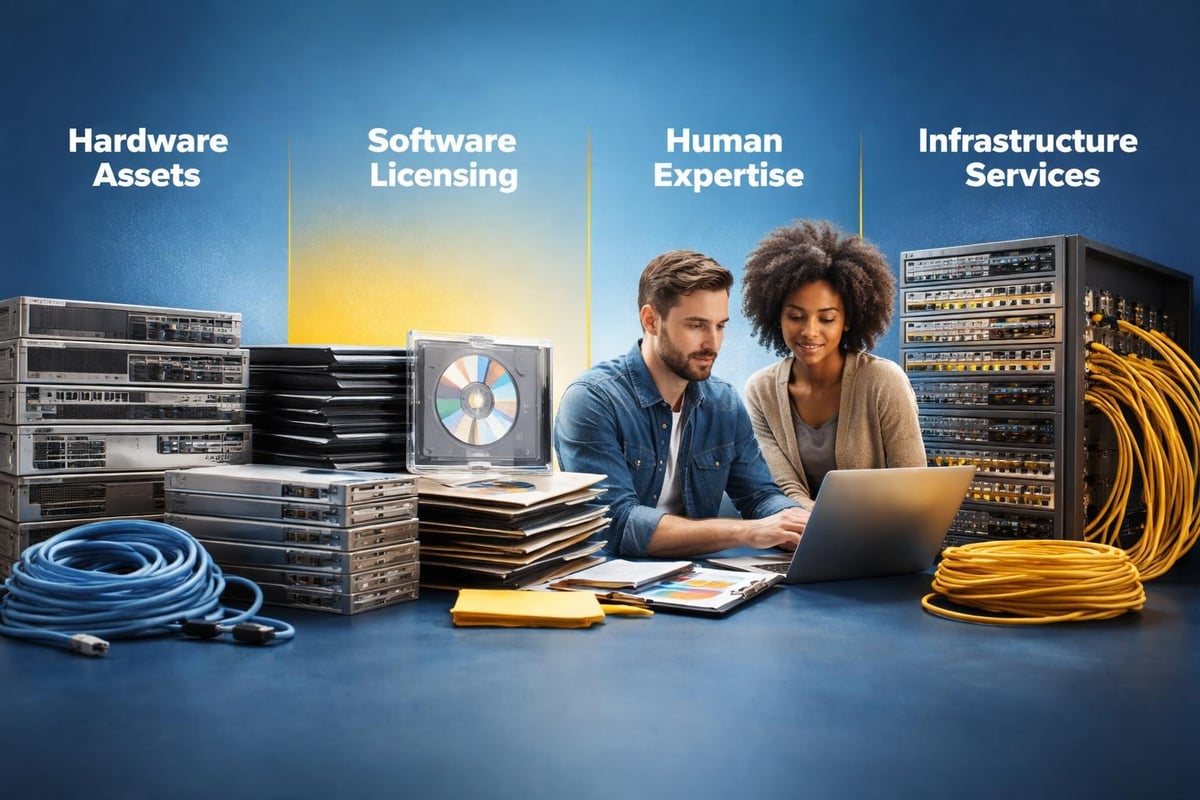
Hardware Resources include every physical device your business relies on, from employee laptops and desktop computers to network routers, printers, and mobile devices. Managing these means knowing what you have, when it needs replacing, and whether it's actually being used.
Software and Licensing covers all your applications, from Microsoft 365 to industry-specific tools. This pillar focuses on avoiding redundant subscriptions, ensuring compliance, and making sure employees have access to the right tools.
Human Resources refers to the IT expertise your business needs, whether that's an internal team member, outsourced support, or managed IT services that handle everything proactively.
Infrastructure and Services encompasses your network, internet connectivity, cloud platforms, backup systems, and security tools. This foundation keeps everything else running smoothly.
Most small business owners don't set out to mismanage their technology. It happens gradually as the business grows.
You start with a few computers and basic software. Then you hire more people, add new tools, integrate cloud services, and before you know it, you're paying for three different project management platforms because different teams signed up at different times. Nobody has a complete picture of what you own, what you're paying for, or what's actually working.
According to best practices from industry leaders, companies that implement structured IT service management see significant improvements in efficiency and cost control. The difference isn't having more resources, it's managing what you have more intelligently.
One Calgary business owner told us they discovered they were paying for seventeen different software subscriptions, but only actively using nine. That's not unusual. Without clear visibility into your it resource management practices, money leaks out in subscription charges that seem small individually but add up to thousands annually.
You don't need enterprise-level tools or a dedicated IT department to manage your technology resources effectively. What you need is a clear strategy and the discipline to stick with it.
Start with a complete audit of your technology assets. This means creating a spreadsheet or using simple asset management software to document:
This inventory becomes your baseline. You can't manage what you can't see. Research on IT resource management practices shows that organizations with clear visibility into their resources make better allocation decisions and reduce waste significantly.
Now that you know what you have, evaluate each resource against three criteria:
Utilization: Are people actually using this? A $50/month software subscription might seem reasonable until you realize only two people have logged in during the past six months.
Performance: Is this technology helping or hindering productivity? Computers that take five minutes to boot up aren't saving you money, they're costing you employee time and patience.
Alignment: Does this resource support your current business goals? The project management tool you bought three years ago might not fit how your team works today.
Standardization reduces chaos and makes scaling easier. This includes:
Organizations that implement standardized IT processes report fewer emergencies, lower support costs, and happier employees who know what to expect.
Smart allocation means putting the right tools in the right hands at the right time. Not everyone needs the most powerful computer, and not every role requires premium software licenses.
| User Type | Hardware Needs | Replacement Cycle |
|---|---|---|
| Office/Administrative | Standard laptop, basic specs | 4-5 years |
| Creative/Design | High-performance workstation | 3-4 years |
| Sales/Mobile | Lightweight laptop + mobile device | 3-4 years |
| Executive | Premium laptop, high reliability | 3-4 years |
This tiered approach ensures people have what they need without overspending on capabilities they'll never use. A graphic designer needs processing power and screen quality. Your receptionist probably doesn't.
The same principle applies to software. Microsoft 365, for example, offers different license tiers. Not everyone needs the full premium suite if they're only using email and basic document editing.
Regular license audits help you:
One effective it resource management practice is setting calendar reminders to review all subscriptions quarterly. It takes an hour but often saves hundreds or thousands of dollars.

Perhaps the trickiest resource management decision small businesses face is determining how to handle IT expertise. Do you hire someone in-house, outsource everything, or find a hybrid approach?
Hiring a dedicated IT person works well when:
For most small businesses, managed IT services offer better value because you get:
Immediate access to multiple specialists instead of one generalist. Need help with cybersecurity? You get a security expert. Cloud migration? Someone who does that daily.
Predictable costs without the overhead of employment taxes, benefits, and training. You know exactly what you're spending each month.
24/7 monitoring that catches problems before they impact your business. Your in-house person needs sleep and vacations. Managed services don't.
No-contract flexibility (with providers like Always Beyond) means you're never locked in if your needs change. That's particularly valuable in 2026's uncertain business environment.
Moving to cloud-based systems has transformed how businesses handle it resource management. Instead of buying servers and worrying about capacity, you pay for what you use and scale up or down as needed.
Right-sizing means choosing the appropriate service tier for your actual workload. Cloud providers offer dozens of configurations. Most businesses start by over-provisioning "just in case" and end up paying for capacity they never use.
Automation handles routine tasks like backups, updates, and scaling without manual intervention. This reduces human error and frees up time for strategic work.
Cost monitoring tools track your cloud spending in real-time. Set up alerts when costs exceed thresholds so you catch runaway expenses early. Case studies from major cloud providers demonstrate how automated resource management can reduce cloud costs by 30-40% without sacrificing performance.
Data management policies determine what gets stored where, for how long, and at what cost. Hot storage for frequently accessed files costs more than cold storage for archives. Categorizing your data appropriately can significantly reduce storage expenses.
Every it resource management strategy must account for security, not as an afterthought but as a core component. In 2026, cyber threats target small businesses specifically because attackers know they often lack robust defenses.
When you partner with IT professionals who prioritize security, you get proactive monitoring that catches threats early. This is infinitely better than reactive scrambling after a breach.
Security resource management also means budgeting appropriately. Allocate resources for:
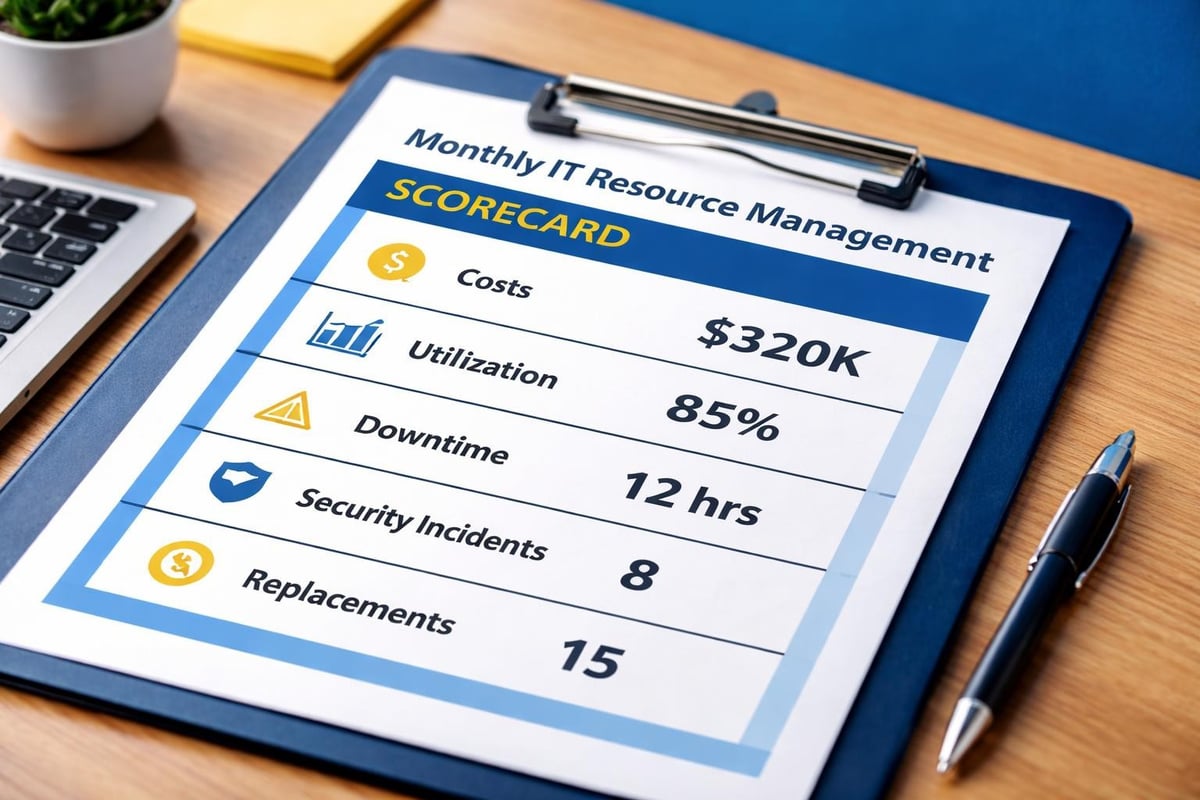
How do you know if your it resource management efforts are working? Track these practical metrics:
| Metric | What It Measures | Target |
|---|---|---|
| IT costs as % of revenue | Overall technology spending efficiency | 3-6% for most SMBs |
| Software utilization rate | % of licenses actively used | >85% |
| Hardware refresh adherence | % of devices replaced on schedule | >90% |
| Unplanned downtime | Hours per month of unexpected outages | <2 hours |
| Help desk ticket volume | Support requests per employee/month | Decreasing trend |
| Security incident rate | Confirmed security events per quarter | Zero or near-zero |
These numbers tell a story. Rising help desk tickets might indicate aging hardware or insufficient training. Low software utilization suggests you're overspending on licenses. Consistent unplanned downtime means your infrastructure needs attention.
Even with good intentions, businesses often make predictable mistakes that undermine their technology investments.
Mistake 1: Treating IT as purely a cost center instead of a business enabler. Technology should help you make more money, serve customers better, or operate more efficiently. If it's not doing that, you're managing the wrong resources.
Mistake 2: Delaying hardware replacements to save money in the short term. This creates a cascade of problems: slower productivity, more support tickets, security vulnerabilities, and eventually, catastrophic failures at the worst possible time.
Mistake 3: Ignoring software lifecycle management. Applications get outdated, vendors discontinue support, and security patches stop coming. Continuing to use unsupported software is like leaving your doors unlocked at night.
Mistake 4: Failing to document anything. When the person who "just knows" all your systems leaves the company, that knowledge walks out the door with them. Documentation isn't exciting, but it's essential.
Mistake 5: Reactive instead of proactive management. Waiting for things to break before you fix them costs more in every way: more downtime, more emergency support fees, more frustrated employees, and more lost productivity.
Growth is exciting, but it strains your technology infrastructure if you're not prepared. Effective it resource management means planning for growth before you need it.
Anticipate capacity needs by tracking growth trends. If you're adding employees at 20% annually, your network, storage, and licensing needs will increase proportionally. Budget and plan accordingly.
Build flexible infrastructure using cloud services that scale on demand. This is particularly important for seasonal businesses or those experiencing rapid growth.
Standardize early so adding new users means following established procedures, not reinventing the wheel each time.
Partner with scalable support providers who can grow with you. The best IT service providers adjust their services based on your current needs without forcing you into rigid contracts.
According to research on IT infrastructure management, organizations that plan for scalability from the beginning experience 60% fewer growing pains when expanding operations.
Manual resource management worked when businesses had five computers and two software subscriptions. In 2026, automation isn't optional if you want to manage resources efficiently.
Software updates and patches should happen automatically on a schedule that minimizes disruption. This keeps systems secure without requiring constant manual intervention.
License provisioning and deprovisioning ensures new employees get access immediately and former employees lose access instantly.
Monitoring and alerting tracks system health, performance metrics, and security events 24/7, notifying you only when human intervention is required.
Backup and recovery processes run continuously in the background, creating multiple restore points without anyone thinking about it.
Reporting generates regular summaries of resource utilization, costs, and performance so you always have current data for decision-making.
Automation doesn't eliminate the human element. It frees people to focus on strategy and problem-solving instead of repetitive maintenance tasks.
The difference between businesses that thrive with technology and those that struggle often comes down to how intentionally they manage their IT resources. It's not about having the biggest budget or the fanciest tools. It's about making smart decisions with what you have and being strategic about where you invest.
Start small if you need to. Pick one area (software licensing is often the easiest) and implement better management there. Document your wins, learn from the process, and expand to other areas. Progress beats perfection.
Remember that effective it resource management is ongoing, not a one-time project. Technology changes, your business evolves, and new opportunities emerge. Regular reviews and adjustments keep your strategy aligned with your actual needs.
Managing your technology resources effectively means you spend less time dealing with IT headaches and more time focusing on what matters: growing your business and serving your customers. Whether you're just starting to get your arms around what technology you have or you're ready to optimize an existing strategy, having the right partner makes all the difference. Always Beyond provides comprehensive IT services including proactive resource management, cybersecurity, and cloud solutions with no long-term contracts. Schedule a free consultation to discover how we can help you get more value from every technology dollar you spend.
See exactly how your current IT setup measures up to our Hack Free standards. Enter your business email to receive:
