
Shawn Freeman
CEO


Running a small business in 2026 means juggling dozens of responsibilities, and technology shouldn't add to your stress. The right tech solutions can transform how your team works, protect your data, and free up your time to focus on what matters most: growing your business. But with so many options available, how do you know which technologies actually deliver value versus those that just sound impressive in a sales pitch?
Tech solutions aren't just software subscriptions or fancy hardware. They're strategic tools that solve real business problems.
When we talk about tech solutions, we're referring to the combination of technology, expertise, and processes that address specific challenges your business faces every day. Maybe your team wastes hours on manual data entry. Perhaps you're worried about a ransomware attack shutting down your operations. Or you might be struggling with employees who can't access files when working remotely.
Effective tech solutions share three key characteristics:
The technology landscape has shifted dramatically. According to TechCrunch, small businesses now have access to enterprise-grade tools that were previously available only to large corporations. Cloud computing, artificial intelligence, and automated security tools have leveled the playing field.
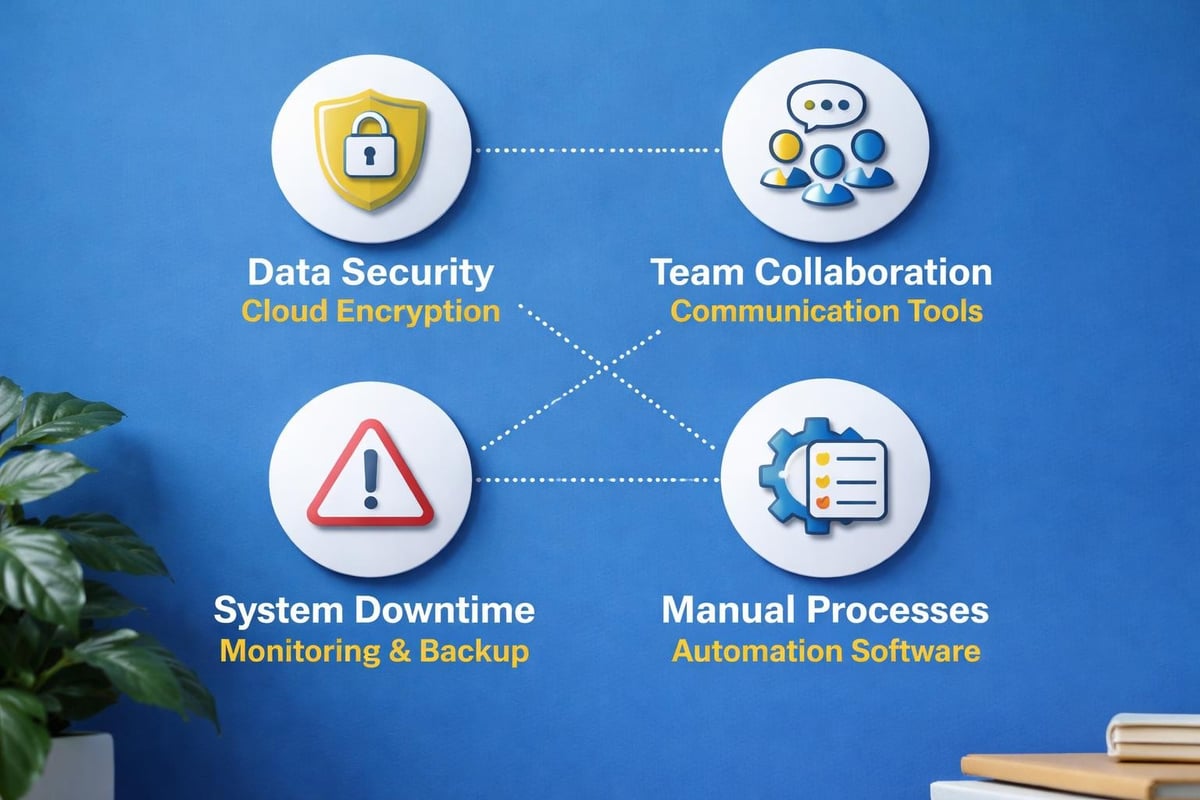
Many business owners don't realize how much outdated technology costs them. It's not just about the monthly software bill.
Consider these hidden costs:
| Cost Category | Impact | Annual Cost Range |
|---|---|---|
| Employee productivity loss | Staff waiting for slow systems, manual workarounds | $15,000 - $50,000 |
| Security vulnerabilities | Data breaches, compliance fines, recovery costs | $20,000 - $200,000+ |
| Downtime | Lost revenue, missed deadlines, customer frustration | $10,000 - $100,000 |
| IT firefighting | Emergency fixes instead of strategic improvements | $8,000 - $30,000 |
One manufacturing client came to Always Beyond after their 12-year-old server crashed, taking their entire operation offline for three days. The lost revenue alone exceeded $85,000, not counting the stress and scrambling to recover data. That's why managed IT services focus on proactive monitoring rather than reactive fixes.
Not every business needs the same technology stack, but certain tech solutions have become fundamental in 2026.
Cloud solutions have moved from "nice to have" to absolutely essential. They provide flexibility, scalability, and disaster recovery capabilities that traditional on-premise servers simply can't match.
Key benefits of cloud infrastructure:
Many businesses use Google Workspace or Microsoft 365 for email and collaboration, but they don't maximize these platforms' potential. At Always Beyond, we've seen companies paying for advanced features they never activate while struggling with problems those features would solve.
The shift to remote and hybrid work has made cloud solutions even more critical. Your team needs to collaborate seamlessly whether they're in the office, at home, or traveling.
Cybersecurity tech solutions have evolved far beyond basic antivirus software. Today's threats are sophisticated, and your defenses need to be equally advanced.
Modern cybersecurity requires multiple layers of protection:
CNET recently reported that small businesses face cyberattacks just as frequently as large enterprises, but with fewer resources to recover. That's why cybersecurity services should be viewed as insurance, not an expense.

A retail client experienced a near-miss when an employee received a convincing phishing email that appeared to come from their bank. Because we had implemented email filtering and security awareness training, the employee recognized the red flags and reported it instead of clicking. That one prevented breach could have saved them $50,000 or more in recovery costs.
Your team needs to communicate efficiently, especially with distributed workforces becoming the norm.
Modern collaboration tech solutions include:
The key isn't just having these tools. It's configuring them properly and training your team to use them effectively. We've worked with companies that had excellent tools but terrible adoption rates because nobody showed employees how to incorporate them into daily workflows.
The technology that works for a law firm won't necessarily work for a construction company. Here's how to evaluate options strategically.
Don't buy technology because it sounds impressive. Buy it because it solves a problem that's costing you money, time, or customers.
Ask yourself these questions:
This problem-first approach ensures you invest in tech solutions that deliver measurable returns. According to ZDNet, businesses that align technology decisions with strategic goals see 40% higher ROI on their IT investments.
The sticker price rarely tells the full story. Total cost of ownership includes implementation, training, ongoing support, and eventual upgrades.
| Cost Factor | One-Time | Ongoing | Often Overlooked |
|---|---|---|---|
| Software licenses | Sometimes | Usually monthly/annual | Per-user pricing as you grow |
| Implementation | Yes | No | Data migration costs |
| Training | Yes | Periodic refreshers | Productivity loss during learning |
| Support | Setup included | Monthly or per-incident | Time spent troubleshooting |
| Integration | Yes | Updates required | Compatibility with other tools |
Always Beyond operates without long-term contracts because we believe you should stay with your IT provider because they deliver value, not because you're locked in. This philosophy extends to the tech solutions we recommend. We focus on tools with transparent pricing and flexible terms.
The best technology is worthless if you can't get help when you need it. Before committing to any tech solution, investigate the vendor's support options.
Essential support considerations:
We've helped numerous businesses transition from IT providers who couldn't support their Mac users or didn't understand Google Workspace. Technology support shouldn't be one-size-fits-all.
You've selected the right tech solutions. Now comes the challenge of implementation without bringing your business to a standstill.
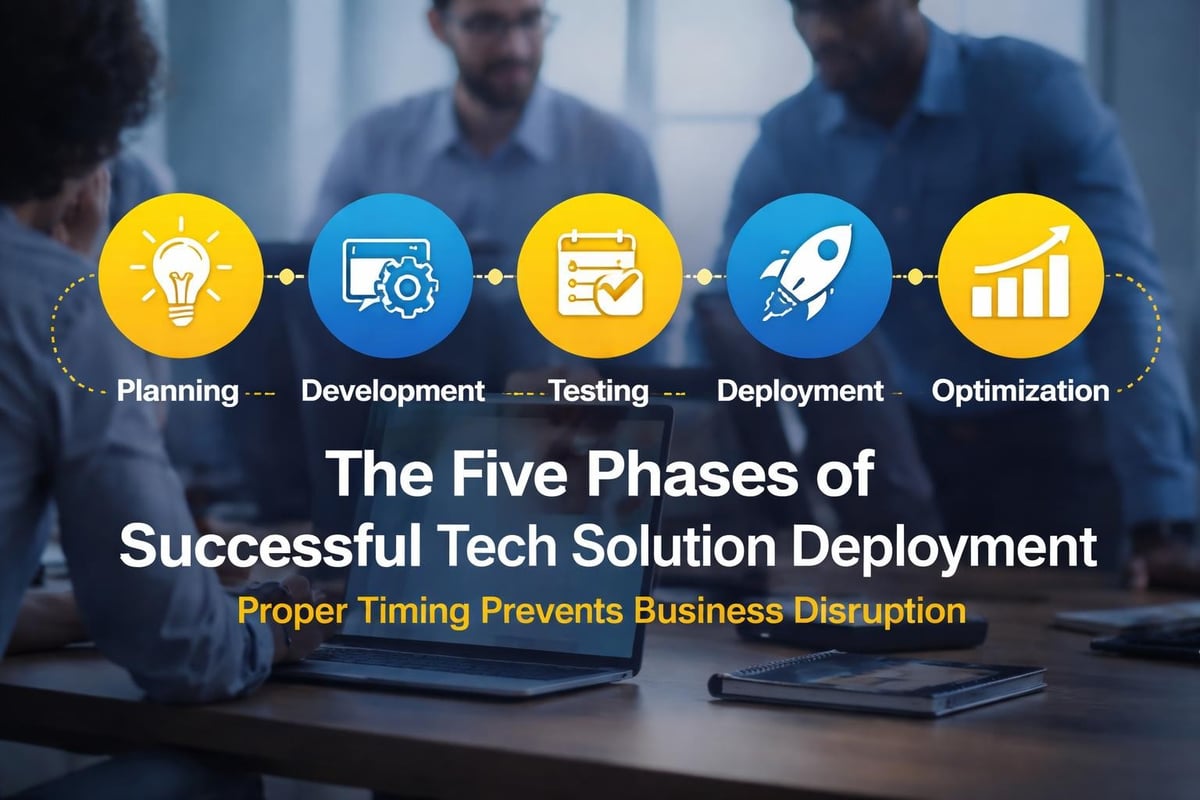
Rushing technology deployment leads to mistakes, frustrated employees, and failed adoption. A thoughtful timeline accounts for testing, training, and adjustment periods.
Typical implementation phases:
One architecture firm tried to switch their entire team to a new project management platform over a weekend. By Monday morning, chaos ensued. Nobody could find client files, deadlines were missed, and the team threatened mutiny. After backing out and creating a proper implementation plan with Always Beyond, they successfully transitioned over six weeks with minimal disruption.
The most sophisticated tech solutions fail when employees don't know how to use them. Training shouldn't be a one-time event.
Effective training strategies include:
Technology should make your team's lives easier, not harder. When employees resist new tech solutions, it's usually because they weren't properly trained or don't understand how it benefits them personally.
How do you know if your technology investments are working? You need concrete metrics beyond "it seems better."
Before deploying any tech solution, establish what success looks like with specific, measurable goals.
Common success metrics by solution type:
| Solution Category | Sample Metrics | Target Improvement |
|---|---|---|
| Collaboration tools | Time to complete projects, meeting reduction | 15-25% faster completion |
| Cybersecurity | Security incidents, phishing test pass rates | 90%+ incident reduction |
| Cloud infrastructure | System uptime, access speed, recovery time | 99.9% uptime |
| Automation | Hours saved, error reduction | 10-20 hours/week saved |
According to Ars Technica, businesses that track IT metrics consistently achieve 35% better outcomes from their technology investments. The data provides insights for optimization and justification for future investments.
Your employees use these tech solutions daily. Their feedback reveals friction points you might not see from a management perspective.
Questions to ask your team quarterly:
This feedback loop helps you continuously improve your technology environment. It also helps employees feel heard and invested in the process.
Even well-intentioned business owners make predictable mistakes when selecting and implementing technology. Here's how to sidestep them.
Software vendors love listing hundreds of features. But more features don't necessarily mean better results for your specific needs.
A legal practice once purchased an expensive practice management system because it had "everything." Six months later, they used less than 20% of its capabilities while struggling with basic tasks because the interface was overly complex. They eventually switched to a simpler, more focused solution that cost half as much and worked twice as well.
Focus on these priorities instead:
Many business owners prioritize ease of use over security, creating vulnerabilities that hackers exploit. The BBC Technology section regularly reports on breaches that occurred because organizations chose convenience over protection.
Security and usability don't have to be mutually exclusive. Modern tech solutions can provide both when properly configured. For example, single sign-on lets employees access multiple applications with one secure login, combining convenience with strong authentication.
Always Beyond's comprehensive IT services build security into every solution from the start, not as an afterthought.
Technology isn't a "set it and forget it" investment. Software needs updates. Security patches must be applied. Users need ongoing support.
Budget for these ongoing requirements:
Many businesses experience this the hard way when their systems fail, and they realize nobody's been maintaining them properly. Proactive maintenance prevents expensive emergencies.
Technology continues evolving rapidly. Understanding emerging trends helps you prepare for what's coming.
AI isn't just for tech giants anymore. In 2026, small businesses are leveraging AI-powered tech solutions for customer service chatbots, predictive analytics, automated scheduling, and content creation.
The key is implementing AI thoughtfully. The Verge notes that the most successful AI implementations augment human capabilities rather than attempting to replace people entirely.
Practical AI applications for small business:
The tech solutions that win in 2026 are those that play well with others. Businesses are tired of disconnected systems that don't communicate.
Modern platforms offer extensive integration capabilities, allowing your CRM to talk to your accounting software, which connects to your project management tool. This interconnected ecosystem eliminates duplicate data entry and reduces errors.
Automation follows naturally from integration. When your systems communicate, you can create workflows that handle routine tasks without human intervention. An order in your e-commerce system can automatically update inventory, trigger fulfillment, notify the customer, and record the transaction in your accounting system.
Traditional cybersecurity waited for threats and responded. Modern tech solutions predict and prevent attacks before they occur.
Emerging security technologies include:
The cybersecurity landscape requires constant vigilance, but modern tools make protection more manageable for small businesses.
Rather than making random technology purchases as problems arise, create a strategic roadmap that aligns with your business goals.
Before planning where to go, understand where you are. A thorough technology assessment reveals strengths, weaknesses, and opportunities.
Key areas to evaluate:
This assessment forms the baseline for your roadmap. Many businesses discover they're paying for redundant solutions or have critical gaps in their technology infrastructure.
You can't fix everything at once. Prioritize tech solutions based on which will deliver the most value relative to their cost and implementation complexity.
| Priority Level | Characteristics | Examples | Timeline |
|---|---|---|---|
| Critical | Security risks, compliance requirements, business-stopping issues | Outdated security, failing hardware, compliance gaps | Immediate (1-30 days) |
| High | Significant efficiency gains, customer impact, competitive advantage | Collaboration tools, automation, customer systems | Short-term (1-3 months) |
| Medium | Incremental improvements, quality of life enhancements | Upgraded hardware, additional features, training | Medium-term (3-6 months) |
| Low | Nice-to-have features, experimental technologies | Cutting-edge tools, optional upgrades | Long-term (6-12 months) |
This prioritization ensures you address urgent needs while working toward long-term improvements. It also helps budget technology investments across multiple quarters rather than overwhelming your cash flow.
Your technology roadmap shouldn't be static. Business needs change, new solutions emerge, and priorities shift.
Schedule quarterly technology reviews to assess progress, evaluate new opportunities, and adjust your roadmap accordingly. This regular cadence keeps your technology aligned with your evolving business needs.
Working with an experienced IT partner makes this process smoother. They stay current on emerging technologies and can recommend solutions you might not discover on your own. At Always Beyond, we conduct regular strategic reviews with clients to ensure their IT services remain aligned with business objectives.
The right tech solutions transform how your business operates, making your team more productive, your data more secure, and your operations more efficient. But technology only delivers value when it's thoughtfully selected, properly implemented, and continuously optimized to meet your specific needs. If you're ready to explore how strategic technology can help your business grow without the stress of long-term contracts or one-size-fits-all approaches, Always Beyond offers personalized IT services designed around your actual needs, with expertise in Mac support, Google Workspace, cybersecurity, and cloud solutions that put your business first.
See exactly how your current IT setup measures up to our Hack Free standards. Enter your business email to receive:
