
Shawn Freeman
CEO


Your business runs on technology, whether you realize it or not. Every email sent, every file saved, every video call with a client depends on your IT infrastructure. For small business owners, understanding this foundation isn't about becoming a tech expert. It's about making smart decisions that protect your investment, keep your team productive, and position you for growth. The good news? You don't need massive budgets or in-house IT departments to build reliable technology systems that work.
Think of IT infrastructure as the backbone supporting everything your team does digitally. It includes the hardware you can touch (computers, servers, network equipment), the software running on those devices, the internet connections linking everything together, and the security protecting it all.
Here's what makes up your technology foundation:
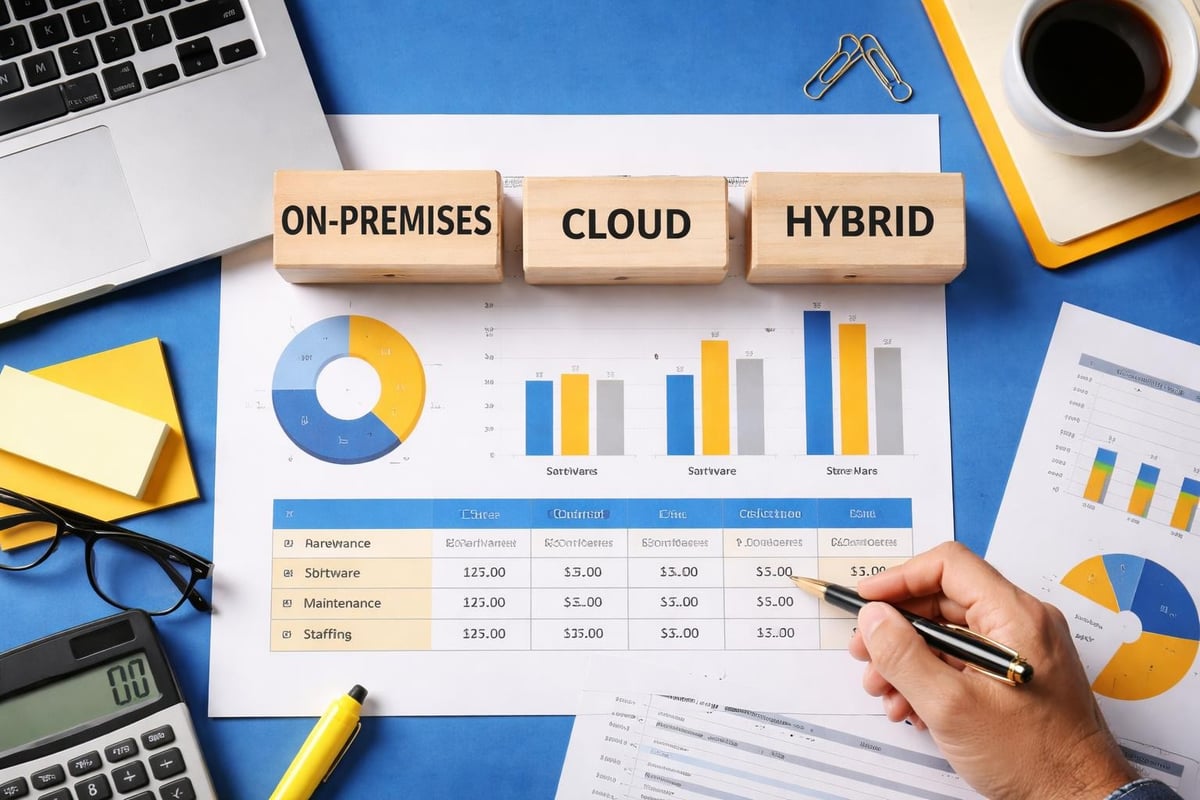
Most small businesses today operate with hybrid infrastructure, combining some on-site equipment with cloud-based services. This approach offers flexibility without requiring the capital expense of traditional server rooms. According to recent data, cloud infrastructure spending reached $102.6 billion in Q3 2025, reflecting how businesses of all sizes are embracing this model.
When your IT infrastructure works properly, you barely notice it. Your team logs in, accesses files, communicates with clients, and gets work done. But when something breaks? Everything stops.
A reliable foundation means your accounting team can access financial data instantly. Your sales team can pull customer information during calls. Your remote workers connect securely from home. Your files back up automatically each night.

The physical equipment supporting your business doesn't need to be cutting-edge, but it does need to be appropriate for your workload and properly maintained.
Your team's computers represent the most visible part of your infrastructure. Whether you standardize on Mac or PC depends on your industry and workflow needs. Many creative businesses prefer Mac environments, while others find Windows more compatible with specialized software.
Key considerations for business computers:
One common mistake? Keeping computers too long to "save money." That five-year-old laptop struggling with video calls costs you in lost productivity and frustrated employees. The person wasting 20 minutes daily waiting for applications to load isn't working efficiently.
Your network is the highway connecting all your technology. A solid network foundation prevents the daily frustrations that steal time and patience.
| Network Component | Business Impact | Upgrade Timeline |
|---|---|---|
| Internet Connection | Speed and reliability affect everything | Review annually |
| Wi-Fi Access Points | Coverage and capacity for mobile devices | Replace every 4-5 years |
| Network Switches | Connect wired devices efficiently | Replace every 5-7 years |
| Firewall/Router | Security and traffic management | Replace every 3-5 years |
Internet bandwidth requirements continue growing. What felt adequate two years ago may struggle with today's video conferencing, cloud backups, and software updates happening simultaneously. The projected increase in global IT spending beyond $5.4 trillion in 2025 reflects these expanding technology demands across businesses.
Cloud computing fundamentally changed how small businesses approach IT infrastructure. Instead of buying expensive servers and maintaining them yourself, you rent computing power, storage, and applications from providers who handle the technical heavy lifting.
Yes, cloud services can reduce capital expenses. But the real advantages go deeper.
Your team gains flexibility. Employees access files and applications from anywhere with internet connection. Adding new users takes minutes instead of weeks. Scaling storage up or down happens without buying new equipment.
Your data gains protection. Professional cloud providers maintain redundant systems across multiple locations. When planned properly with managed IT services, your cloud infrastructure includes automated backups, disaster recovery capabilities, and security monitoring that would be prohibitively expensive to build yourself.
Your IT infrastructure becomes predictable. Monthly subscription costs replace unpredictable hardware failures and replacement cycles. You know exactly what you're spending, making budgeting straightforward.
Many businesses use Google Workspace or Microsoft 365 for email and productivity tools. These platforms provide reliable infrastructure without requiring any on-site servers. Others utilize cloud storage services like Dropbox or OneDrive for file sharing and collaboration.
Not everything belongs in the cloud. Some businesses maintain local servers for specific applications with regulatory requirements or performance needs. Others keep critical data on-site while using cloud services for collaboration and communication.
The key is intentional planning. Where does each piece of data live? Why? What happens if that system goes down? These questions should have clear answers, not just happen by default.

Your IT infrastructure isn't complete without robust security protecting it. This isn't optional, and it's not something to defer until "later" or "when we're bigger."
Security works best when integrated from the beginning, not bolted on afterward. This means thinking about protection at every infrastructure layer.
Network security starts with your firewall, controlling what traffic enters and exits your systems. Modern firewalls do more than simple blocking-they identify threats, filter content, and create secure connections for remote workers.
Endpoint protection includes antivirus software, but goes beyond traditional virus scanning. Today's endpoint security monitors behavior, detects ransomware attempts, and protects against sophisticated attacks that don't match known virus signatures.
Access controls determine who can see what data and use which systems. Not everyone needs access to everything. Proper user management means your bookkeeper can access financial software while your sales team accesses customer databases, each seeing only what they need.
The growing threat of cyber attacks on critical infrastructure highlights why even small businesses must take security seriously. You may not be critical national infrastructure, but your customer data and business operations are critical to you.
Your backup strategy is security infrastructure. When ransomware strikes, hardware fails, or human error deletes important files, backups are your lifeline.
Effective backup approaches follow the 3-2-1 rule: three copies of data, on two different media types, with one copy off-site. Cloud backup services make this achievable for businesses of any size.
Questions your backup plan should answer:
If you're not certain your backups work, they don't work. Testing recovery procedures feels like wasted time until the day you desperately need them. That day comes when you least expect it.
Building good IT infrastructure is step one. Keeping it running reliably is the ongoing challenge that separates businesses with technology that helps them from businesses with technology that hinders them.
The best IT problems are the ones you prevent. Proactive infrastructure management means monitoring systems for early warning signs, applying updates before vulnerabilities become exploits, and replacing components before they fail catastrophically.
Many small businesses struggle with this because they lack dedicated IT staff. When everyone wears multiple hats, technology maintenance gets deferred until something breaks. Unfortunately, most IT teams don't have full visibility of their IT stack, making proactive management even more challenging.
Maintenance tasks that can't be ignored:
This is where partnering with professional IT support delivers real value. Rather than reacting to crises, you get consistent monitoring, regular maintenance, and problems caught early when they're small and manageable.
Good documentation seems boring until you need it. When a key employee leaves, a system behaves strangely, or you're troubleshooting at 2 AM, having clear records of your infrastructure becomes invaluable.
| Documentation Type | What to Include | When You'll Need It |
|---|---|---|
| Network Diagrams | Physical layout, IP addresses, device locations | Troubleshooting connectivity, planning changes |
| Vendor Contacts | Support phone numbers, account details, contract terms | Getting help quickly during outages |
| Password Management | Centralized, secure storage of credentials | Employee transitions, system access |
| Configuration Details | Software settings, security policies, customizations | Disaster recovery, system rebuilds |
| Change History | What changed, when, and why | Understanding current state, debugging issues |
Creating this documentation takes time. Maintaining it requires discipline. But businesses with good documentation resolve issues faster, onboard new team members more efficiently, and sleep better knowing critical information isn't locked in one person's head.
Your IT infrastructure should enable business growth, not limit it. The technology decisions you make today create either opportunities or obstacles tomorrow.
Can your infrastructure grow with you? If you hire five new employees next quarter, how quickly can they get fully operational? If you open a second location, what needs to change?
Cloud-based infrastructure scales more easily than traditional on-site systems. Adding users to Google Workspace or Microsoft 365 takes minutes. Provisioning a new server in your office takes weeks and significant capital expense.
But scalability isn't just about adding capacity. It's also about flexibility to change direction. Maybe you need different software. Maybe you're working with larger files than before. Maybe remote work becomes more important than you initially planned. Infrastructure that adapts keeps you competitive.
Understanding true infrastructure costs means looking beyond initial purchase prices to total cost of ownership over time.
Hidden costs that catch businesses off-guard:
Cloud services convert many of these variable costs into predictable monthly expenses. A $50/month cloud service might actually cost less than maintaining equivalent on-site infrastructure when you factor in everything. Or it might cost more-it depends on your specific situation and usage patterns.
The resurgence of dedicated servers to meet AI and compliance requirements shows that one size doesn't fit all. Some workloads genuinely benefit from dedicated infrastructure rather than shared cloud resources.
You don't need to become an IT expert to have excellent IT infrastructure. You need good partners who understand both technology and business.
Managed IT services provide small businesses with enterprise-level infrastructure management without enterprise-level costs. Instead of hiring full-time IT staff, you get access to a team of specialists who monitor your systems, handle maintenance, respond to issues, and plan for the future.
This approach particularly benefits growing businesses stuck in the middle ground: too large to wing it with occasional tech-savvy employees helping out, but too small to justify full-time IT staff.
What good managed services deliver:
The best managed service providers don't lock you into long-term contracts or one-size-fits-all packages. They offer flexible support that scales with your needs and adapts as your business evolves. This flexibility becomes especially important as you grow and your infrastructure requirements change.
Not all IT service providers are created equal. Before committing to a partnership, ask questions that reveal how they actually work.
How do they handle after-hours emergencies? What's their typical response time? Do they have experience with your specific platforms (especially important for Mac environments or Google Workspace)? How do they approach security? What's their philosophy on recommending new technology versus maintaining what works?
Pay attention to how they explain technical concepts. Good IT partners translate tech speak into business language, helping you make informed decisions without drowning in jargon.
Your IT infrastructure exists to support your business goals, not the other way around. Technology should reduce stress, save time, and enable growth. When it doesn't, something's wrong.
Start by understanding what you currently have. Many businesses don't know their complete infrastructure inventory or how various pieces connect. Taking stock creates clarity and reveals gaps, redundancies, and risks.
Prioritize based on business impact. What technology failures would hurt most? What improvements would help most? Not everything needs fixing immediately, but knowing your priorities guides smart investment.
Build relationships with reliable partners who can guide your technology decisions with your business interests in mind. Whether that's comprehensive managed IT support, specialized cybersecurity services, or strategic IT consulting, the right expertise prevents costly mistakes and ensures your infrastructure actually serves your needs.
Remember that perfect infrastructure doesn't exist. The goal isn't eliminating all technology problems-it's building systems reliable enough that technology supports your work instead of constantly interrupting it.
Your IT infrastructure represents a significant investment of money, time, and trust. Making smart choices, maintaining systems properly, and working with experts who understand both technology and business transforms that investment from a necessary expense into a competitive advantage. In 2026, small businesses don't need massive IT budgets to compete effectively. They need thoughtful infrastructure decisions and reliable partners who help them maximize every technology dollar spent.
Building reliable IT infrastructure doesn't require massive budgets or technical expertise, just smart decisions and the right support. Whether you're starting from scratch, upgrading aging systems, or simply want someone to handle the technical details while you focus on running your business, Always Beyond delivers comprehensive IT infrastructure management with the flexibility and personal attention small businesses need. We support Mac and PC environments, Google Workspace and Microsoft 365, and offer proactive services without locking you into long-term contracts.
See exactly how your current IT setup measures up to our Hack Free standards. Enter your business email to receive:
