
Shawn Freeman
CEO

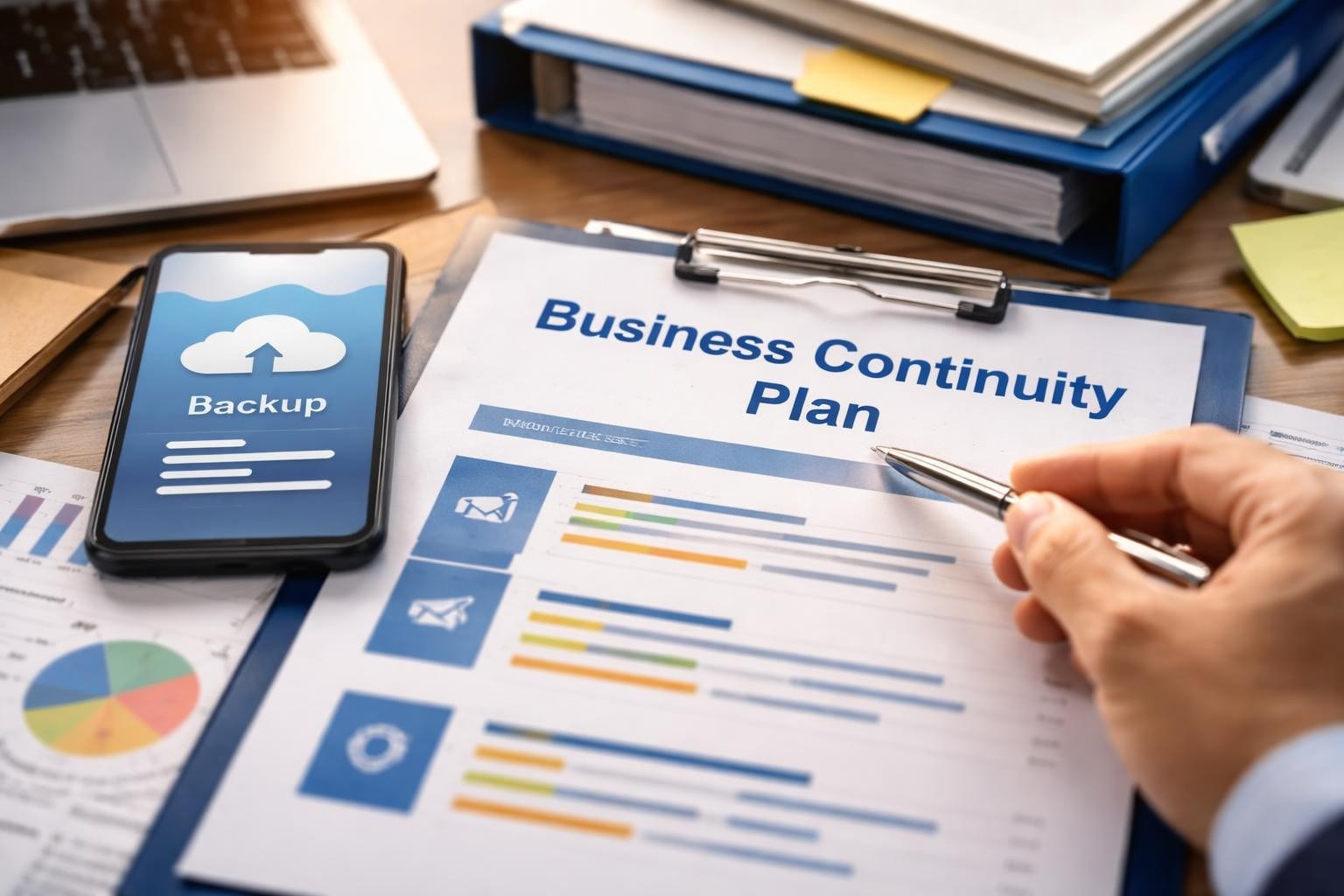
Every business owner dreads the moment when something goes wrong. A server crashes during your busiest sales period. A ransomware attack locks your customer database. A natural disaster forces your office to close indefinitely. These scenarios aren't just hypothetical nightmares. They're real disruptions that happen to thousands of businesses every year, and the ones that survive are those with a solid plan in place. Business continuity planning isn't about preparing for every possible disaster; it's about ensuring your business can keep running (or bounce back quickly) when the unexpected happens.
Business continuity has evolved dramatically over the past decade. What started as simple disaster recovery has transformed into a comprehensive strategy that addresses everything from cyber threats to supply chain disruptions.
At its core, business continuity planning means identifying potential threats to your operations and creating actionable plans to minimize downtime and financial loss. For small and medium-sized businesses, this isn't about building expensive backup facilities or hiring dedicated emergency response teams. It's about smart preparation that fits your budget and resources.
The average cost of downtime for small businesses ranges from $8,000 to $74,000 per hour, depending on your industry and operations. But beyond the immediate financial impact, prolonged outages damage customer trust, employee morale, and competitive positioning.

Consider these common scenarios:
Each situation requires different responses, but they all share one thing: businesses without continuity plans suffer longer recovery times and higher costs. Those with well-documented procedures get back on track faster and preserve customer relationships.
Building a business continuity action plan doesn't require starting from scratch. Most effective plans share several essential elements that work together to protect operations.
Start by identifying what could actually go wrong in your specific situation. Not theoretical disasters, but realistic risks based on your location, industry, and technology infrastructure.
Common risks for most businesses include:
For each risk, evaluate two factors: likelihood and potential impact. A minor software glitch might happen weekly but barely affect operations. A major cyberattack might be less likely but could shut down your business for days or weeks.
Not everything in your business is equally important. Your business continuity strategy should prioritize the systems and processes that directly impact revenue, customer service, and legal compliance.
| Priority Level | Recovery Time | Examples |
|---|---|---|
| Critical | Within 1 hour | Email, payment processing, customer database |
| High | Within 4 hours | CRM, project management, phone systems |
| Medium | Within 24 hours | Accounting software, internal collaboration tools |
| Low | Within 72 hours | Marketing platforms, archived data access |
This prioritization helps you allocate resources effectively and set realistic recovery time objectives. Managed IT services can maintain these priority levels through proactive monitoring and rapid response protocols.
Your data is the lifeblood of modern business operations. According to FINRA requirements, firms must maintain robust data backup and recovery processes as part of their continuity planning.
Effective backup strategies follow the 3-2-1 rule:
But having backups isn't enough. You need to regularly test restoration procedures to ensure they actually work when needed. Many businesses discover their backups are corrupted or incomplete only after a disaster strikes.
Modern cloud solutions make this easier than ever. Automated backups to secure cloud storage provide geographic redundancy and quick recovery options without managing physical media.
When systems fail, clear communication becomes your most valuable asset. Your team, customers, and vendors need to know what's happening and what to expect.
Establish multiple communication channels that don't depend on your primary systems. If your email server is down, how will you reach employees? If your office phone system fails, where should customers call?
Your communication plan should include:
Many businesses use tools like Microsoft Teams or Google Workspace for daily communication, but these require internet access. Consider simple phone trees or text message groups as backup options.
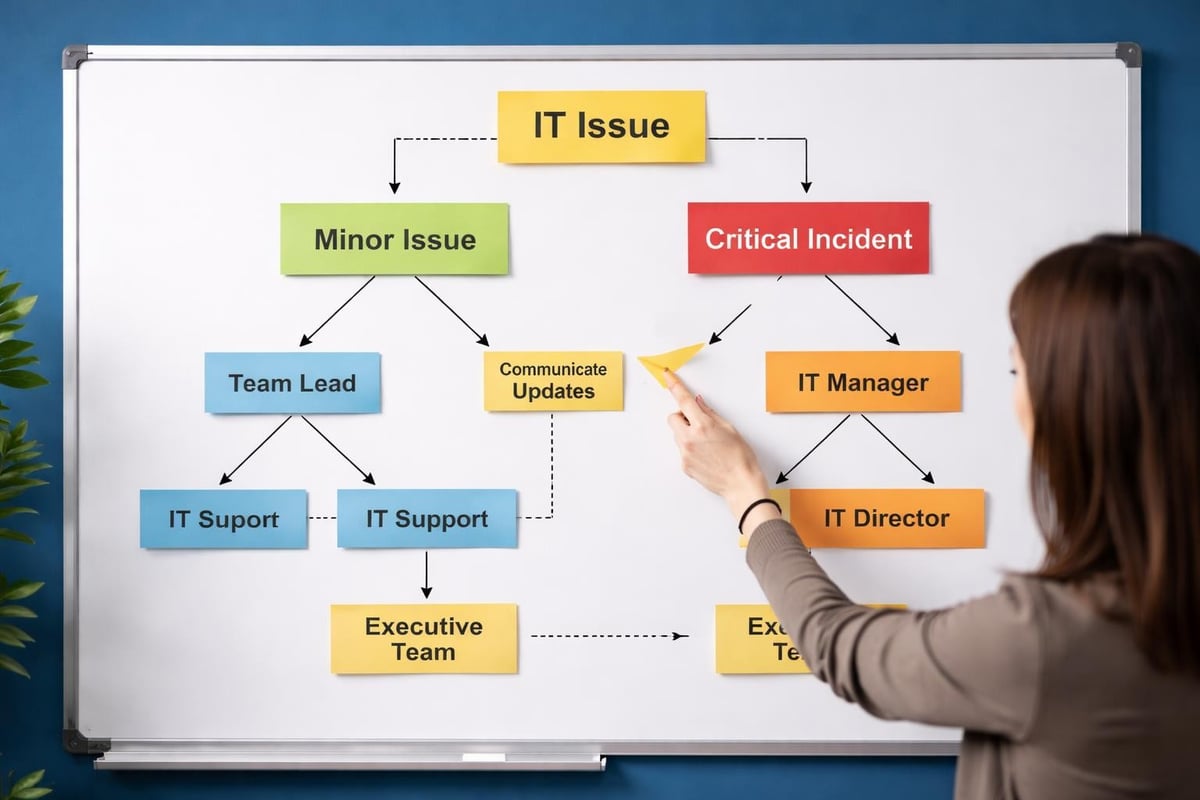
Transparency builds trust, especially during crises. Customers appreciate honest updates about service disruptions, even if the news isn't what they want to hear.
Create pre-written templates for common scenarios that can be quickly customized and sent through multiple channels: email, website notices, social media, and direct phone calls for critical accounts. IT support services often include communication assistance during incidents to help maintain customer relationships.
Creating a plan is just the first step. According to best practices for effective business continuity, regular testing and updates are essential for ensuring plans remain relevant and effective.
Test your business continuity procedures at least twice per year through structured exercises. These don't need to be full-scale simulations that disrupt normal operations.
Different testing approaches include:
Document the results of each test, noting what worked well and what needs improvement. IT service continuity management provides ongoing testing and optimization to keep plans current.
Business continuity isn't a one-time project. Your technology changes, employees come and go, vendors shift, and new risks emerge. Schedule quarterly reviews of your plan to ensure all information remains accurate.
Update your plan whenever you:
Technology serves as both a risk factor and a protective measure in business continuity planning. The right tools dramatically reduce recovery time and minimize data loss.
Cloud platforms offer built-in redundancy that would be prohibitively expensive for most small businesses to replicate on-premises. When you store data and run applications in the cloud, you benefit from enterprise-grade infrastructure, automatic backups, and geographic distribution.
This doesn't mean cloud solutions eliminate all risks. You still need to understand your provider's responsibilities versus your own. Most cloud services protect their infrastructure but don't automatically back up your data or configurations.
Modern managed IT support includes proactive monitoring that detects potential issues before they become full-blown crises. Automated systems watch for warning signs like unusual network traffic, failing hard drives, or suspicious login attempts.
These early warnings give you time to respond before problems escalate. A drive showing early failure signs can be replaced before it crashes and causes data loss. Suspicious activity can be investigated before a breach occurs.
| Monitoring Type | What It Detects | Business Continuity Benefit |
|---|---|---|
| System Health | Hardware failures, performance degradation | Prevents unexpected downtime |
| Security | Intrusion attempts, malware, unauthorized access | Stops breaches before data loss |
| Backup Status | Failed backups, storage capacity issues | Ensures recovery capabilities |
| Network Performance | Bandwidth problems, connection failures | Maintains communication channels |
Ransomware and other cyber threats represent one of the most significant risks to business continuity in 2026. As noted in research on organizational resilience, companies must think beyond traditional cyber defenses to maintain operational resilience.
A comprehensive cybersecurity approach includes multiple layers of protection: endpoint security, email filtering, network monitoring, user training, and access controls. Each layer reduces the likelihood of successful attacks and limits potential damage.
Getting started with business continuity planning doesn't require massive investments or months of preparation. You can build an effective foundation in a matter of weeks.
Create an inventory of:
This documentation provides the foundation for all subsequent planning. Many businesses realize during this process that important information exists only in individual employees' heads.
Based on your operations inventory, list realistic threats and evaluate their potential impact. Be specific about what would happen if each system or process became unavailable.
For example: "If our accounting software is unavailable for three days, we cannot process payroll, send invoices, or reconcile payments. This affects 25 employees and approximately $50,000 in weekly billing."
This concrete impact analysis helps prioritize where to focus continuity efforts.
For your highest-priority systems and processes, write step-by-step procedures for responding to disruptions. These should be detailed enough that someone with general knowledge (not necessarily deep expertise) could follow them.
Effective procedures include:
Store these procedures in multiple locations, including printed copies kept offsite. Digital-only documentation doesn't help if you can't access your systems.
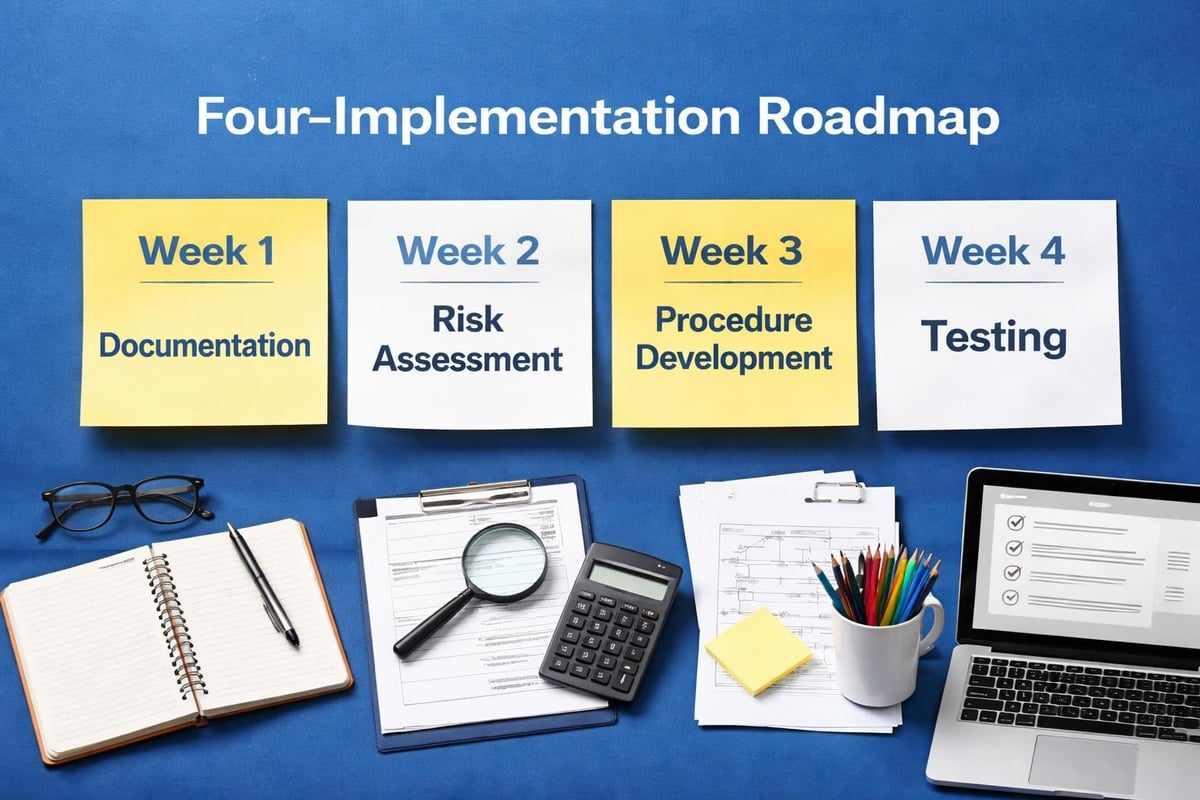
Develop the communication templates discussed earlier and conduct a simple tabletop exercise with your team. Choose a realistic scenario and walk through your response step by step.
This first test will reveal gaps in your planning. That's exactly the point. Better to discover missing information during a controlled exercise than during an actual crisis.
Most small and medium-sized businesses lack the internal expertise to handle all aspects of business continuity planning, especially the technology components. That's where the right IT partner makes a significant difference.
Effective business continuity support requires more than basic help desk services. Look for providers who offer proactive monitoring, security expertise, and experience with incident response.
Key capabilities include:
Flexibility matters too. Avoid providers who lock you into lengthy contracts without proving their value first. The best partnerships grow from demonstrated results, not binding agreements. Comparing IT service providers helps identify the right fit for your specific needs.
Generic IT support treats all problems the same way. Specialized providers understand the unique challenges of different technology platforms and business environments.
For example, if your business runs on Mac computers, you need support technicians who genuinely understand macOS, not Windows experts who occasionally work with Macs. If you use Google Workspace instead of Microsoft 365, your IT partner should be equally proficient with Google's ecosystem.
This specialized knowledge accelerates problem resolution and reduces downtime during incidents. When minutes matter, having someone who knows your systems intimately makes all the difference.
Technology is critical to business continuity, but people and processes determine how well you actually execute during disruptions. The most sophisticated backup systems won't help if employees don't know how to access them.
Single points of failure aren't limited to technology. When only one person knows how to perform critical tasks, that person's absence becomes an operational risk.
Build redundancy through cross-training. Ensure at least two people can handle essential functions like payroll processing, customer support escalations, vendor management, and system administration.
Document specialized knowledge in accessible formats. Video tutorials, written procedures, and knowledge base articles help team members quickly get up to speed when needed.
Business continuity works best when it's part of your normal operations, not a separate emergency-only protocol. Regular discussions about "what if" scenarios, continuous improvement of procedures, and recognition of good preparedness practices build organizational muscle memory.
Employees who understand why continuity planning matters and their role in making it work respond more effectively during actual incidents. They don't panic because they've thought through scenarios and know the steps to take.
How do you know if your business continuity planning is effective? Establish clear metrics that track both preparedness and performance during incidents.
Useful metrics include:
Track these over time to identify trends. Improving numbers indicate your continuity capabilities are strengthening. Degrading metrics signal problems that need attention.
After any actual incident, conduct a thorough review. What worked well? What didn't? What would you do differently next time? These post-incident reviews provide invaluable insights for improving your plan.
Creating an effective business continuity plan requires following structured steps for risk assessment, impact analysis, and regular testing to ensure your organization remains resilient.
Business continuity planning protects more than your technology and data. It safeguards your reputation, customer relationships, and ability to generate revenue when things go wrong. The businesses that thrive long-term are those that prepare for disruptions before they happen and respond effectively when they do. If you're ready to strengthen your business continuity posture with expert support, flexible service, and proactive protection, Always Beyond offers comprehensive IT solutions without long-term contracts, helping you stay secure and operational no matter what challenges arise.
See exactly how your current IT setup measures up to our Hack Free standards. Enter your business email to receive:
